
A single SuperTrend flip fires on every fake move. Also, so does a bare moving-average cross. No strength check, no volume, no momentum – just a line changing color. Indeed, you chase the signal, then get stopped in the range. HyperTrend PRO is a confluence trend indicator TradingView traders use to filter that out. Still, it runs every trend signal through five independent factors before anything appears on your chart, and rates what survives.
What HyperTrend PRO shows on your chart
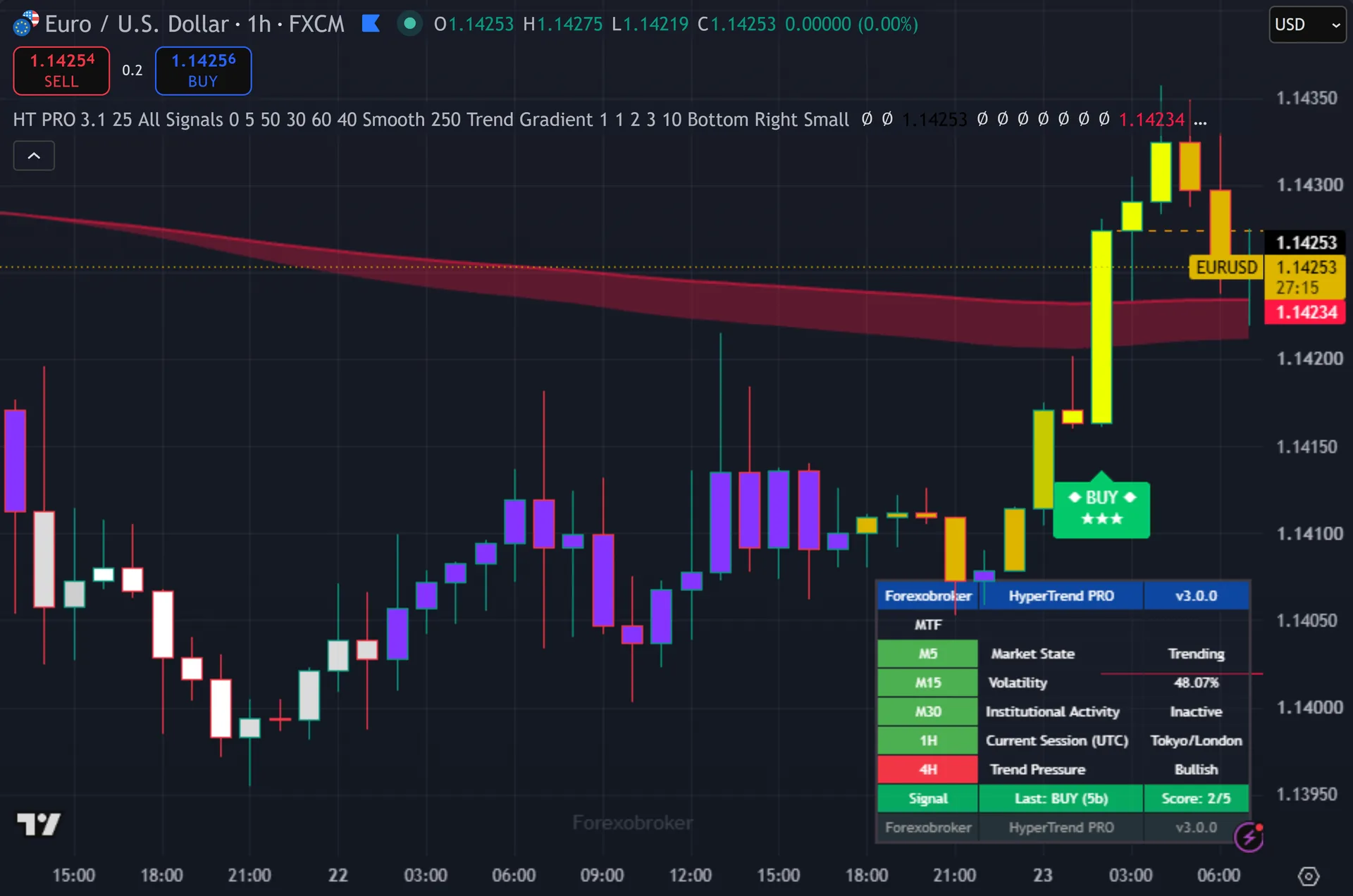
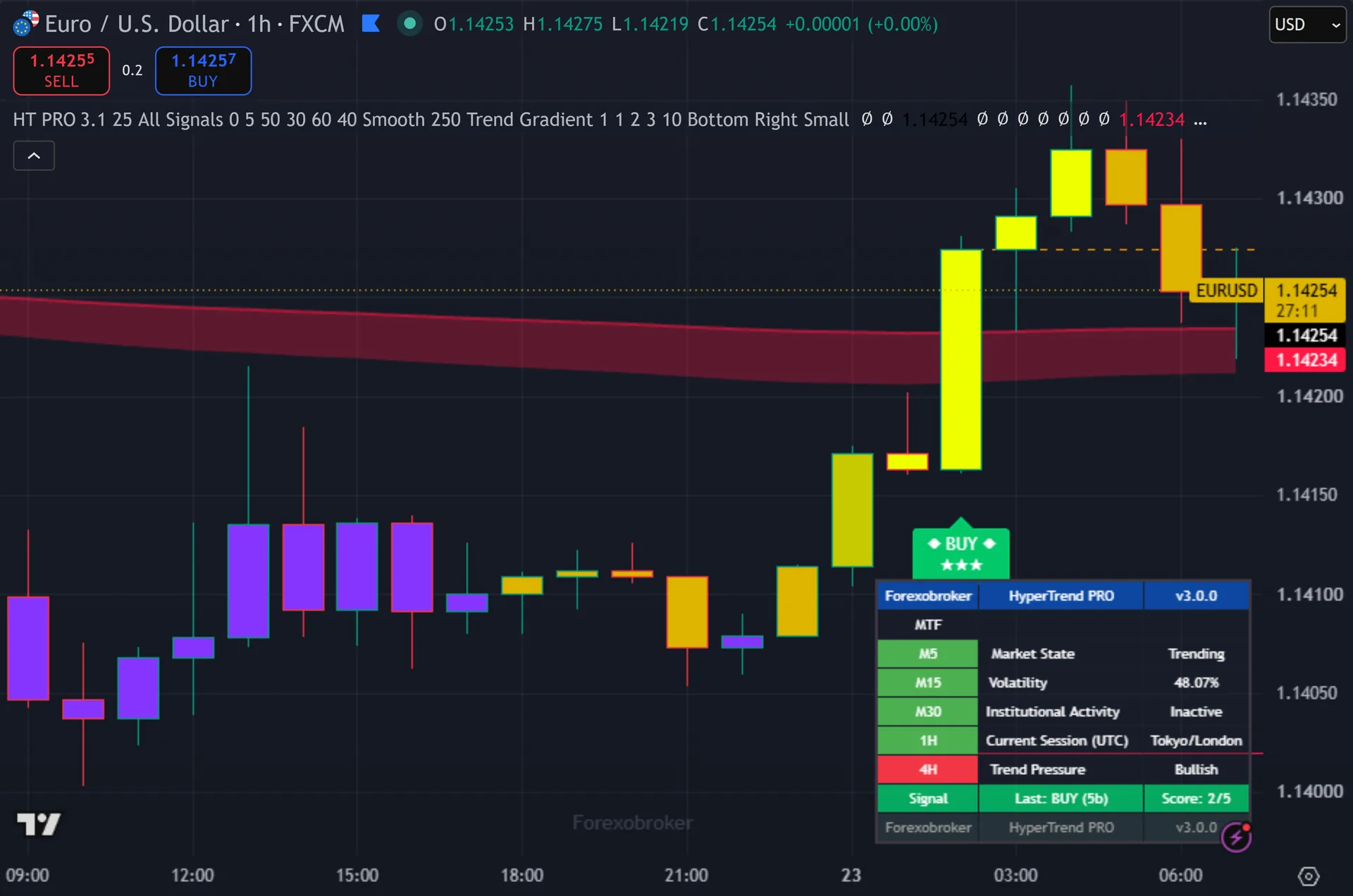
Qualifying signals print as diamond-framed BUY and SELL labels, each with a star rating for the number of factors that agreed. Thus, only signals above your minimum threshold show up, so the chart stays clean. A trend cloud shades the background in one of four styles. Hence, every signal draws an ATR stop and three take-profits as color-coded zones. A multi-timeframe dashboard reads trend direction across timeframes, the active session, signal detail, and stop and target hit-tracking. Next, optional WaveTrend pullback and contrarian RSI marks flag secondary entries.
Why HyperTrend PRO is different
Five factors, one clean decision
HyperTrend PRO does not trust a single calculation. Then, before a signal prints, it checks five things: MACD momentum, EMA Cloud direction, ADX strength above 25, volume confirmation, and HMA slope. Only signals that clear your minimum threshold reach the chart. The rest never distract you.
The diamond label shows the star count at a glance, so you read conviction in a second. Yet, a five-factor signal earned its place. A borderline one shows fewer stars, telling you to size down or skip. Truly, you stop reacting to every color change and start trading the setups with weight behind them.
Timing, risk and alerts in one tool
The signals confirm on the bar close, so they do not repaint. Plainly, that is the tool documented design. Once a diamond prints on a closed bar, it does not move or vanish on reload. Also, every signal ships with an ATR stop and three take-profits drawn as color-coded zones, so your risk and reward sit on the chart before you enter.
The dashboard tracks trend across timeframes and flags the active session, so you trade in context. Indeed, two optional modes – WaveTrend pullback and contrarian RSI – help you time entries inside a confirmed trend or fade an extreme. Nine alert conditions push buy, sell, each take-profit and the stop to your phone as webhook JSON, ready for a bot.
How to trade it
Read the star count before anything else. Still, a high rating means all five factors agreed, so the signal carries real conviction. A low one is your cue to trade smaller or pass and wait for a cleaner diamond.
Check the dashboard for context. Thus, when the higher timeframes and the active session line up with the signal direction, you trade with the trend, not against it. Use the four trend-cloud styles to see the environment at a glance.
Enter on the confirmed signal and lean on the drawn levels. Hence, the ATR stop caps your risk. Scale out at TP1, TP2 and TP3, and trail the stop as each target hits. For entries inside a running trend, the WaveTrend pullback marks can time a better price.
Settings you control
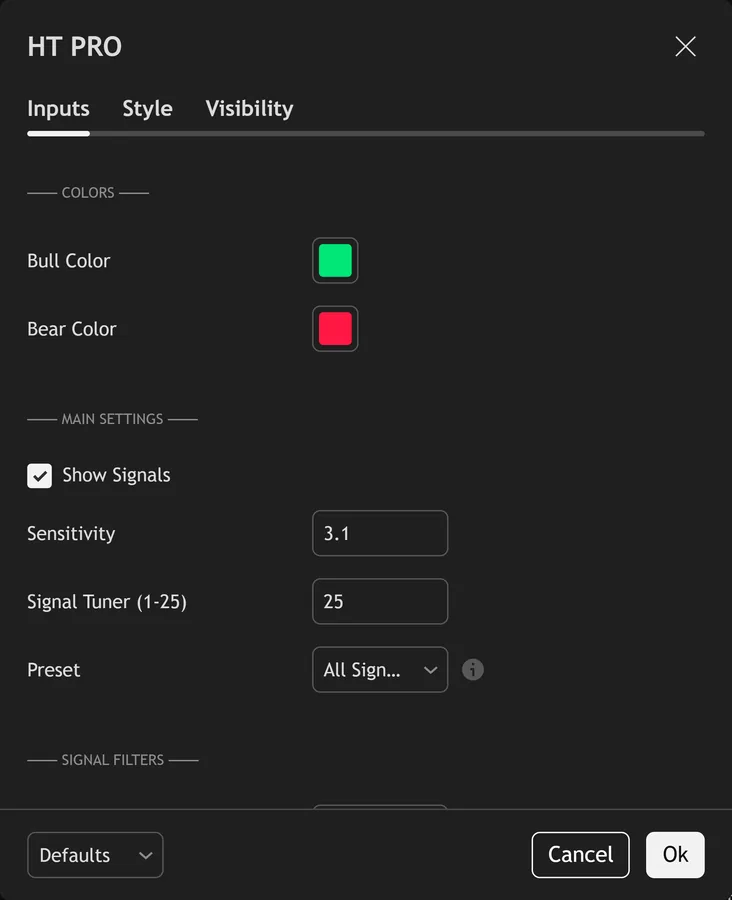
HyperTrend PRO exposes its full input panel on the TradingView settings dialog. Next, the screenshot below shows the groups you can tune – signal sensitivity, the confluence filters, the dashboard and the trade levels. Defaults are set for a balanced starting point, and every input carries an on-hover tooltip.
Alerts and automation
HyperTrend PRO ships 9 alert conditions with a webhook-ready payload. Then, wire them to your phone, to email, or to a Telegram, Discord or automation endpoint, and the tool tells you the moment a signal confirms on the bar close – you do not have to watch the chart.
Any market, any timeframe
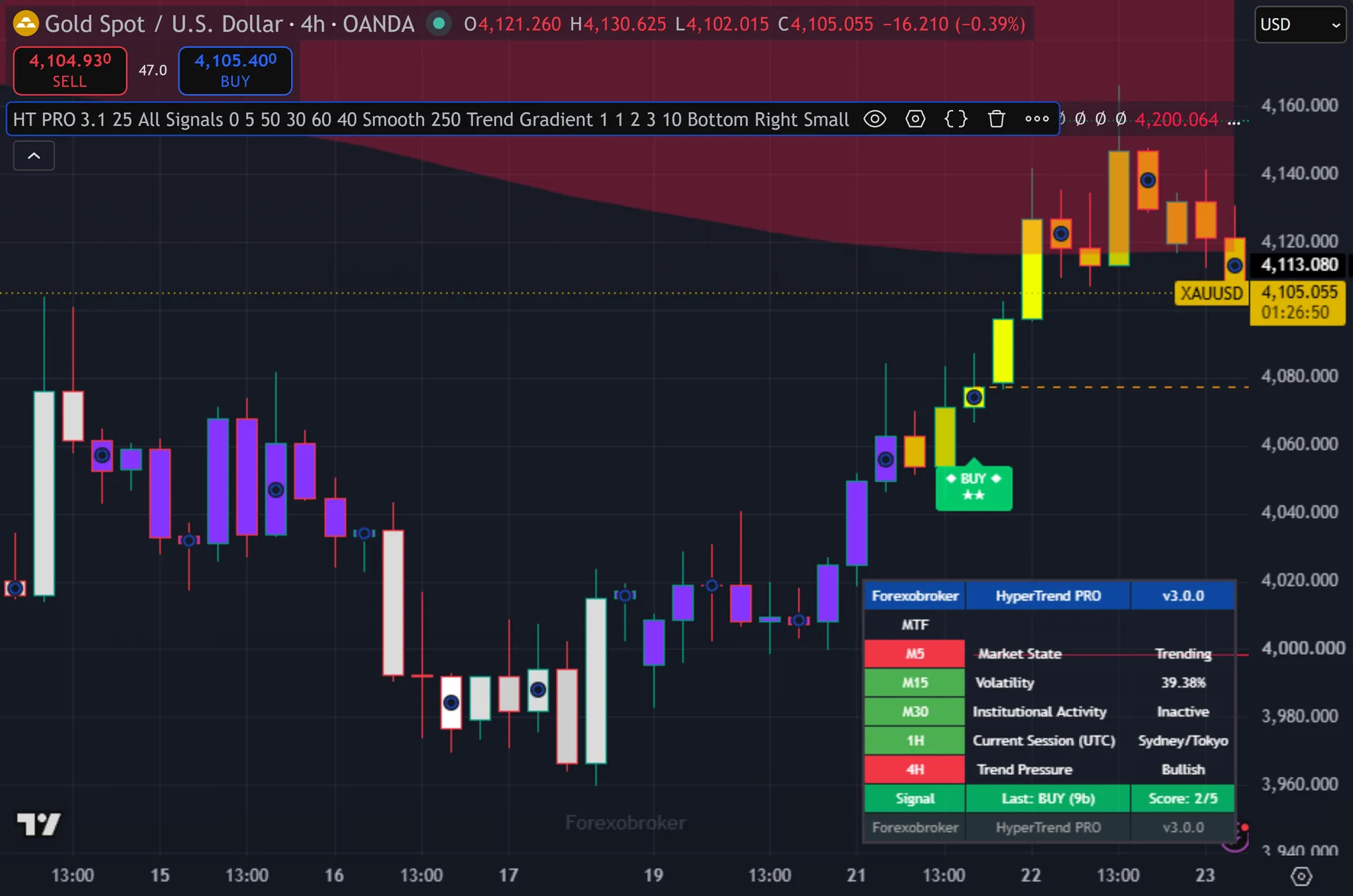
HyperTrend PRO reads price the same way everywhere, so the same setup carries to forex, gold, indices, crypto and stocks. Yet, the screenshot below shows it on a second market and timeframe.
What you get
- Lifetime TradingView access to HyperTrend PRO, tied to your username
- The 5-factor confluence engine with diamond star-rated labels
- Automatic ATR stop-loss and three take-profit levels on every signal
- The multi-timeframe dashboard with session detection and hit-tracking
- WaveTrend pullback and contrarian RSI secondary entry modes
- The 9-alert webhook JSON package and a 60-day money-back policy
Get HyperTrend PRO
Get HyperTrend PRO on forexobroker.com
The button opens the HyperTrend PRO product page, where you can see the current price and buy it. Truly, access is a one-time purchase with lifetime TradingView access and a 60-day money-back policy. You can also view the script on TradingView first.
Prefer the free MetaTrader library?
If you trade MT4 or MT5, my free indicator library is one email away. Plainly, it does not include this premium tool, but it is a strong starting kit.
Get the complete indicator library
One email unlocks the full MT4 and MT5 indicator library. Also, this TradingView script stays free on TradingView – the button above adds it to your chart.
More from this profile
Browse the other free TradingView indicators, the full MetaTrader indicator library, the MT4 indicators and MT5 indicators sections, or the forex trading strategies guides.
External references
Frequently asked questions
Does HyperTrend PRO repaint?
No. Indeed, the tool aims to confirm signals on the bar close, so they do not repaint. Once a diamond prints on a closed bar, it stays fixed, and the historical chart matches what you would have seen live.
What are the five confluence factors?
MACD momentum, EMA Cloud direction, ADX trend strength above 25, volume confirmation, and HMA slope. Still, each one checks the signal independently, and the star rating shows how many agreed before it printed.
Can I make it stricter or looser?
Yes. Thus, you set a minimum confluence threshold. Raise it and only the highest-rated signals appear, which thins the chart. Hence, lower it and more signals print. The star count always tells you how many factors passed.
What are the WaveTrend and contrarian RSI modes?
They are optional secondary signals. Next, waveTrend pullback helps you time an entry inside a confirmed trend, and contrarian RSI flags mean-reversion setups at extremes. You can leave them off if you only want the core trend signals.
Does this indicator repaint?
HyperTrend PRO is built to confirm its signals on the close of the bar, so a printed signal stays put. As with any tool, test it on your own markets and timeframes before relying on it. Results are not guaranteed; past performance is not indicative of future results.

About the author
Written by Dominic Walsh, a Forex trader and MT4/MT5 indicator, Expert Advisor and script developer. Every tool on forexmt4systems.com is tested on live charts before release and ships with ready-to-use compiled MT4 (.ex4) and MT5 (.ex5) files. Learn more about the trader and developer behind this site.
How we build, test and correct every tool: Editorial & Testing Policy. Trading carries risk; see the disclaimer.