
An ATR stop loss places your stop a set multiple of the Average True Range away from your entry, so the distance adapts to how much a pair actually moves. ATR measures recent volatility. You multiply it — commonly 1.5× to 2× ATR — then subtract that from your entry on a long, or add it on a short. When the market is calm the stop sits close. When volatility jumps the stop widens to give the trade room. This guide walks through the formula, the right multiplier for your style, the ATR trailing stop, position sizing, and how to add ATR on MT4, MT5 and TradingView.
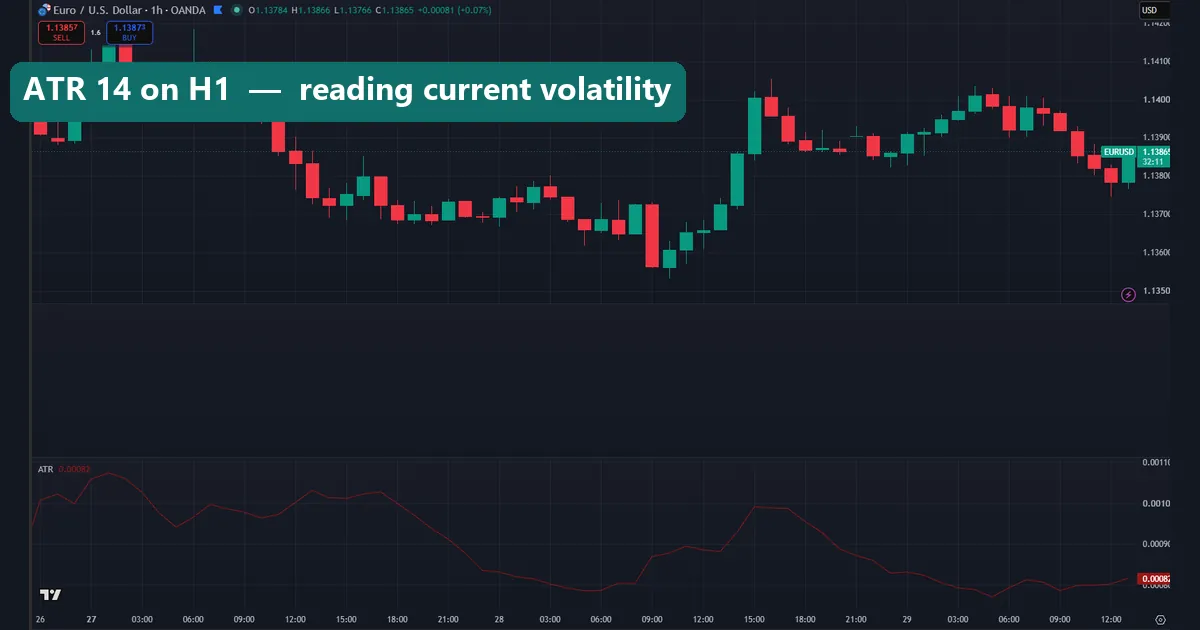
What the ATR indicator measures
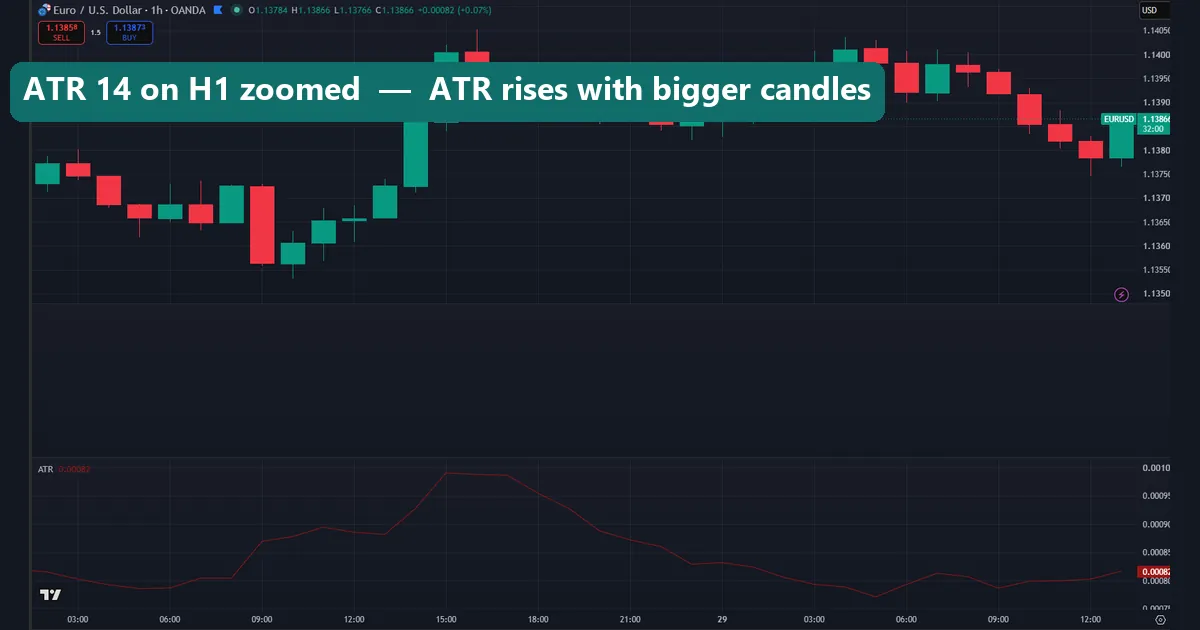
ATR stands for Average True Range. Welles Wilder built it to measure volatility, not direction. The indicator reads the true range of each candle. That is the largest of three spans: the current high-low range, the gap up from the prior close, or the gap down. It then averages the result over a lookback period. The default period is 14. So an ATR of 0.0020 on EURUSD means the pair has been travelling about 20 pips per candle on that timeframe.
The reading tells you nothing about which way price will go. It only tells you how far price tends to travel. That single number is what makes it ideal for stops. A stop should sit beyond normal noise, and ATR defines what normal noise looks like right now.
Why an ATR stop loss beats a fixed-pip stop
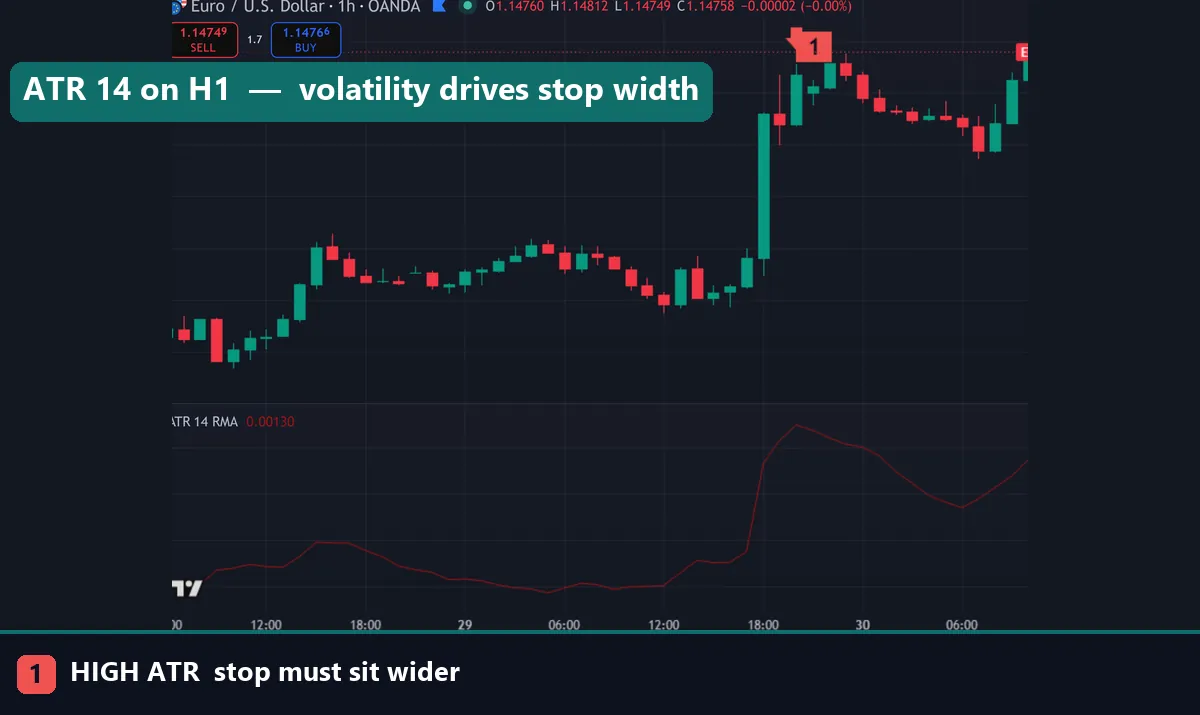
A fixed 20-pip stop treats a quiet Tokyo range and a wild news candle the same way. That is the problem. In calm conditions 20 pips is miles away, so you risk more than you need. In fast conditions 20 pips sits inside the noise, so the market taps your stop and then runs your way without you.
An ATR stop loss solves both cases because it scales with the market. When ATR is small the stop tightens on its own. When ATR expands the stop widens to survive the swing. The chart above shows the same setup twice: the fixed stop gets clipped on the volatile bar, while the ATR stop sits just beyond the wick and stays in the trade. You stop guessing a pip number and let measured volatility set the distance instead.
The ATR stop loss formula
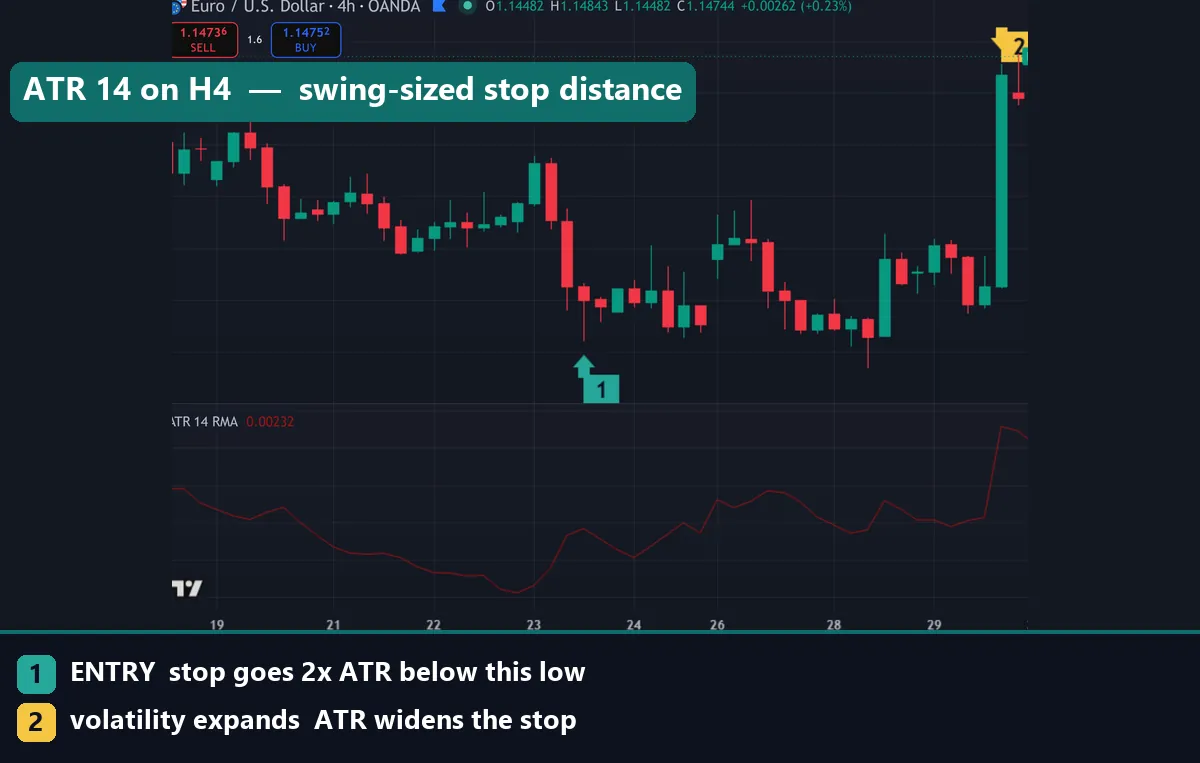
The formula is short. For a long trade the stop sits below entry:
stop = entry − (ATR × multiplier)
For a short trade you flip the sign:
stop = entry + (ATR × multiplier)
Say the 14-period ATR reads 15 pips on your timeframe and you go long. With a 2× multiplier your stop distance is 30 pips, so the stop goes 30 pips below entry. On the long-trade chart above the stop sits two ATR units below the entry candle, clear of the recent wicks. If ATR later climbs to 20 pips, the same 2× rule places a fresh stop 40 pips away. The method adapts on its own, which is exactly why traders trust it over a fixed number.
Choosing your ATR multiplier
The multiplier is the one setting you control, and it usually lands between 1.5 and 3. A smaller multiple keeps risk tight but gets stopped out more often. A larger multiple gives the trade room, yet it costs more per loss, so your position size has to shrink to compensate. Match the number to your style rather than copying a random value.
Scalpers lean on 1.5× because they want quick, tight exits. Day traders sit around 2× for balance. Swing traders push to 2.5× or 3× so a normal multi-day pullback does not eject them early. The table gives sensible starting points.
| Style | Timeframe | ATR period | Multiplier | Best for |
|---|---|---|---|---|
| Scalping | M1–M5 | 14 | 1.5× | Tight exits on fast moves |
| Day trading | M15–H1 | 14 | 2× | Balanced room versus risk |
| Swing | H4–D1 | 14–20 | 2.5–3× | Riding multi-day trends |
Backtest these before you trust them. Every pair breathes differently, and gold or indices often want a larger multiple than the majors do.
The ATR trailing stop
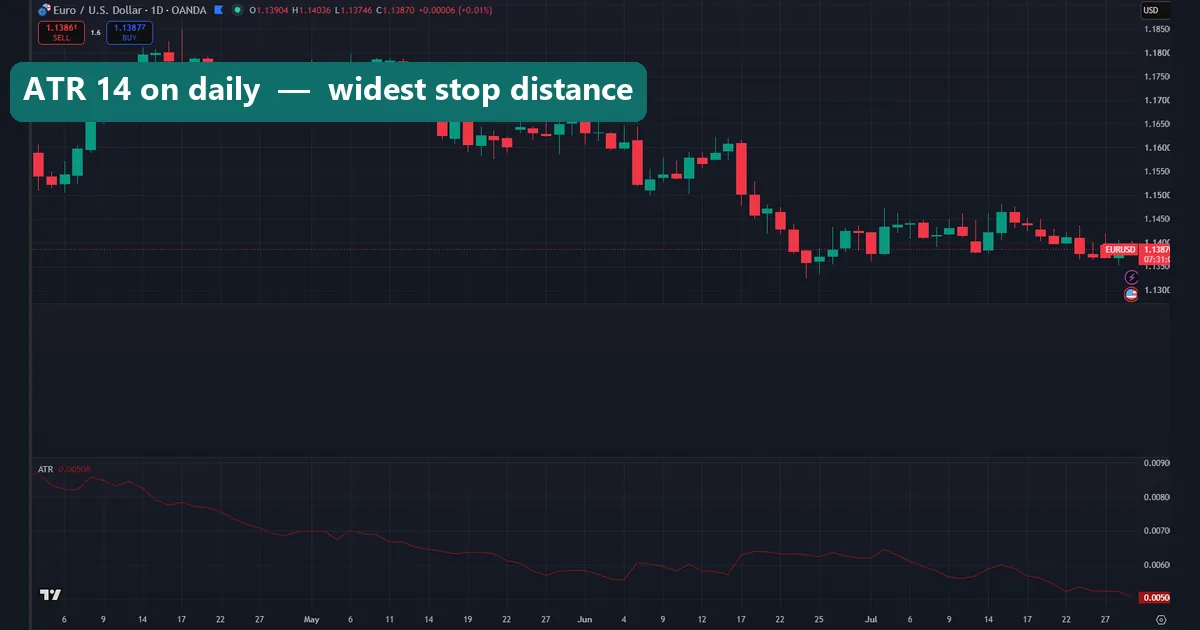
A fixed stop protects you at entry. An ATR trailing stop protects your profit as the trade moves. The idea is simple: recalculate the stop on each closed candle and trail it behind price by the same ATR multiple. As long as price keeps climbing on a long, the stop ratchets up. It never moves down.
So a long trade might trail at 2.5× ATR below the highest close since entry. When price finally reverses far enough to close that gap, you exit with most of the move banked. Many charting tools ship this behaviour as the “ATR trailing stop” or the “Chandelier Exit”. Both trail off ATR, and both let a trend run while cutting the trade once volatility turns against you.
Position sizing from the ATR stop distance
Your stop distance decides your position size, not the other way round. First, fix the cash you will risk on the trade — many traders cap it at 1% of the account. Next, read the ATR stop distance in pips. Then size the position so a move to that stop equals your 1% cap, using your pip value to bridge the two numbers.
Work it in three quick steps:
- Set risk per trade — for example, 1% of the balance.
- Read the ATR stop distance — say 30 pips at your multiplier.
- Divide the risk by the stop distance to get risk-per-pip, then match your lot size to it.
Because a volatile ATR stop is wider, this math shrinks your position automatically when the market moves fast. Your cash risk stays flat while measured volatility sets the distance. That discipline matters more than any single entry signal.
How to add ATR on MT4, MT5 and TradingView
On MetaTrader the indicator lives under Insert → Indicators → Oscillators → Average True Range. Set the Period to 14 and click OK; ATR then appears in a sub-window below price. Read the current value, multiply by your chosen multiplier, and place the stop that many pips from entry. MT4 and MT5 share the same menu path, so the steps carry across both.
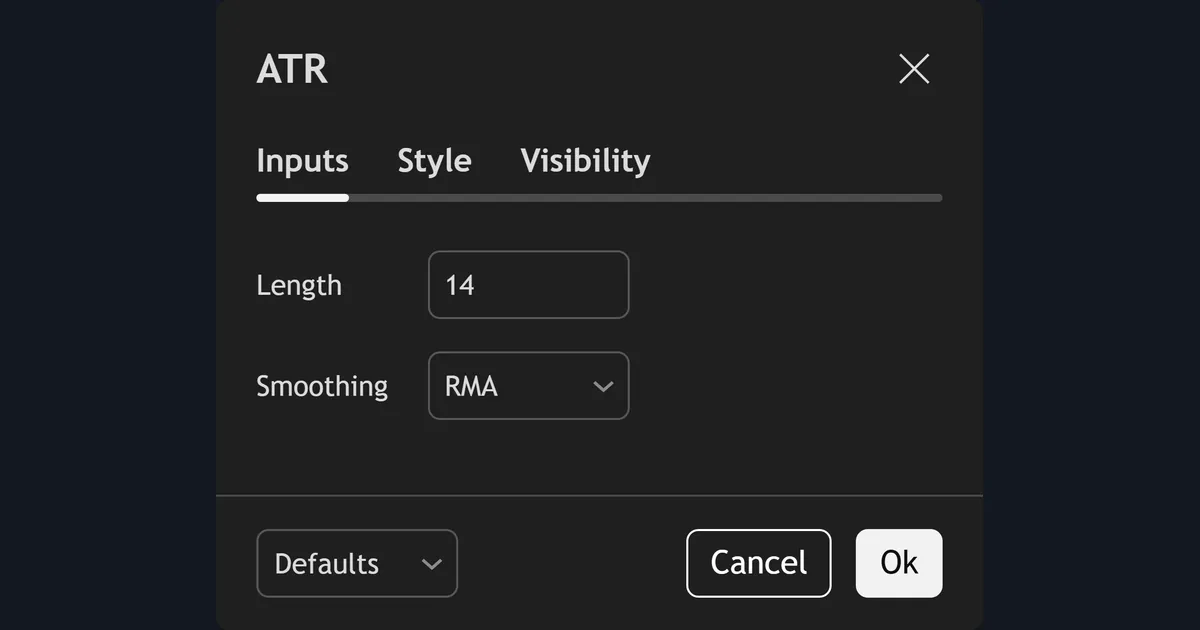
On TradingView, open the indicator search, type ATR, and add Average True Range. Click the settings gear to change the length. Neither platform sets the stop for you — ATR supplies the number, and you apply it. If you want the trailing version handled automatically, an ATR trailing-stop tool does the recalculation each bar. The full setup walkthrough sits in our guide on how to install MT4 and MT5 indicators.
Download the complete indicator database
Put these concepts on your charts. One email unlocks the full library of 1,380+ indicators with compiled MT4 and MT5 files, plus my TradingView scripts. No paywall, no spam, unsubscribe any time.
Get free access to my indicator database
One email unlocks 1,380+ free MT4, MT5 and TradingView indicators — the complete library. No single-tool download; you get the whole database.
Common ATR stop loss mistakes
A few mistakes trip up most traders. First, a too-tight multiple: setting 1× ATR on a choppy pair puts the stop inside normal noise, so you get clipped constantly — give the trade at least 1.5×. Second, ignoring the spread. ATR measures candle range, not your broker’s spread, so add the spread to your stop distance on tight timeframes and around news. Third, forgetting to recalculate. The value shifts every bar, so a reading from an hour ago may be stale; pull a fresh number before each entry. Fourth, using ATR for direction. It gauges volatility only, so pair it with a trend or momentum tool for your entries and let ATR handle the exit.
Where to go next
ATR works best alongside a trend or momentum signal. Browse more practical walkthroughs in our how-to guides. You can also explore the full range of volatility indicators in the library, or see which tools made our roundup of the best day trading indicators. For the theory, Investopedia explains how the average true range works, and Wikipedia covers the underlying average true range calculation.
FAQ
What ATR period should I use for a stop loss?
Start with the default 14. It reads recent volatility without lagging too far behind. Swing traders sometimes lift it to 20 for a smoother, slower value on higher timeframes, but 14 is the reliable baseline for most stops.
What is a good ATR multiplier for a stop loss?
Most traders use 1.5× to 3×. Scalpers stay near 1.5× for tight exits, day traders use about 2×, and swing traders push to 2.5× or 3× so a normal pullback does not stop them out early. Backtest the number on your own pair first.
What is an ATR trailing stop?
It is a stop that recalculates each closed candle and follows price by a fixed ATR multiple. On a long it ratchets up as price rises and never moves down, so it locks in profit while still giving the trend room to run.
Does an ATR stop loss repaint?
No. ATR is calculated from closed prices, so once a candle closes its true-range value is fixed. Only the current, unclosed candle updates in real time, which is normal for any volatility reading.
Can I use an ATR stop loss on any pair or timeframe?
Yes. Because the method scales to whatever volatility it measures, it works on majors, gold, indices and crypto across every timeframe. Volatile markets simply produce wider stops, and calmer ones produce tighter stops, without any change to your rule.
Is an ATR stop loss guaranteed to work?
No. An ATR stop only sizes your risk sensibly; it does not predict price. Trading involves risk, results are not guaranteed, and past performance is not indicative of future results.

About the author
Written by Dominic Walsh, a Forex trader and MT4/MT5 indicator, Expert Advisor and script developer. Every tool on forexmt4systems.com is tested on live charts before release and ships with ready-to-use compiled MT4 (.ex4) and MT5 (.ex5) files. Learn more about the trader and developer behind this site.
How we build, test and correct every tool: Editorial & Testing Policy. Trading carries risk; see the disclaimer.