
Trend tools measure direction. Also, this one measures reward against noise. Adaptive Sharpe Regime is a Sharpe ratio indicator TradingView traders can run on any symbol, because returns carry no units. Indeed, it takes the mean and standard deviation of the last 40 bar returns, corrects that variance for serial correlation, then sorts the result into five tiers. A 9-period EMA cross then times the entry.
It is free and open source. Still, you can add it to any chart from the Adaptive Sharpe Regime script page on TradingView, and the full Pine source is published there for you to read.
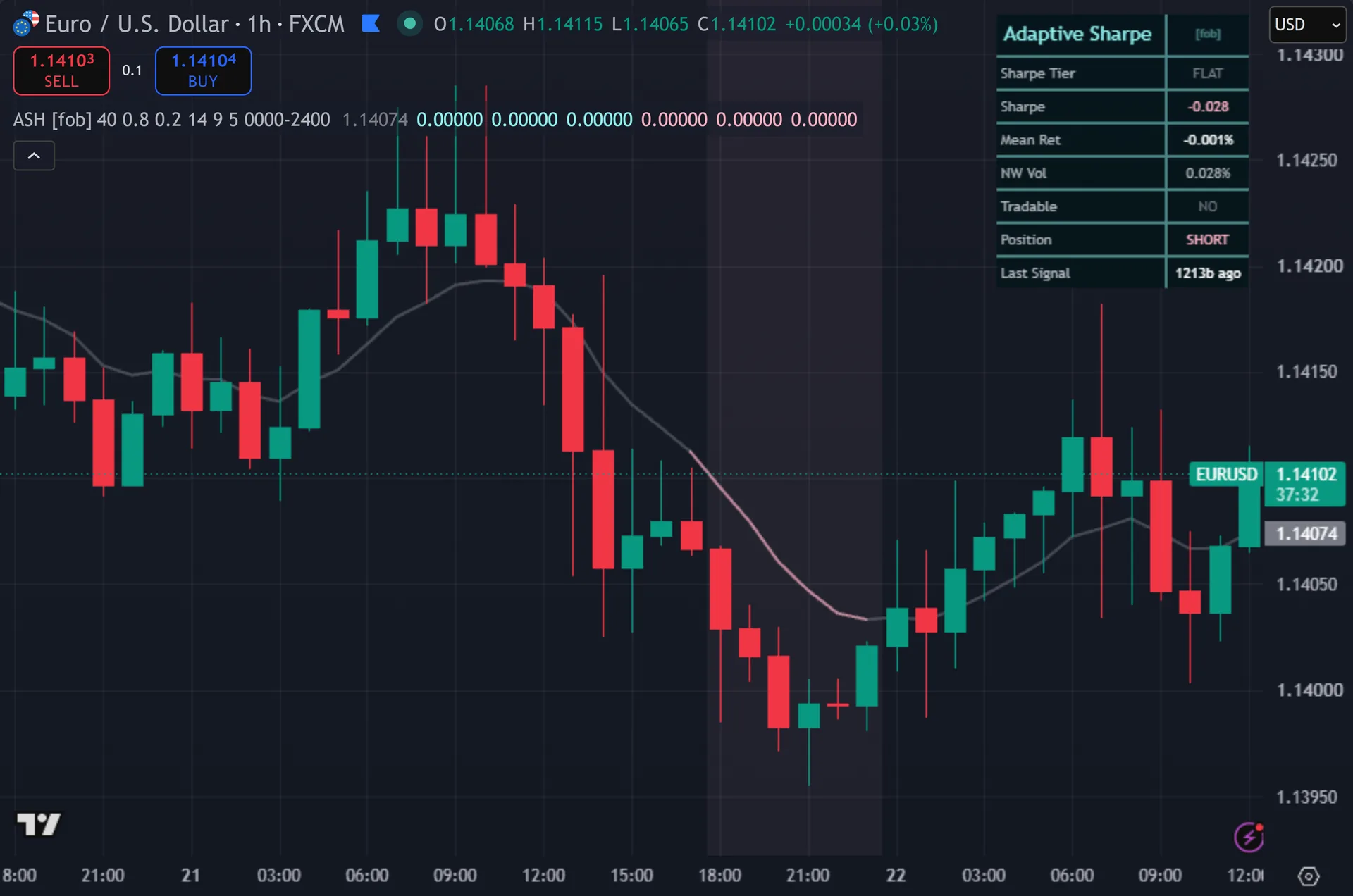
What Adaptive Sharpe Regime plots on the price chart
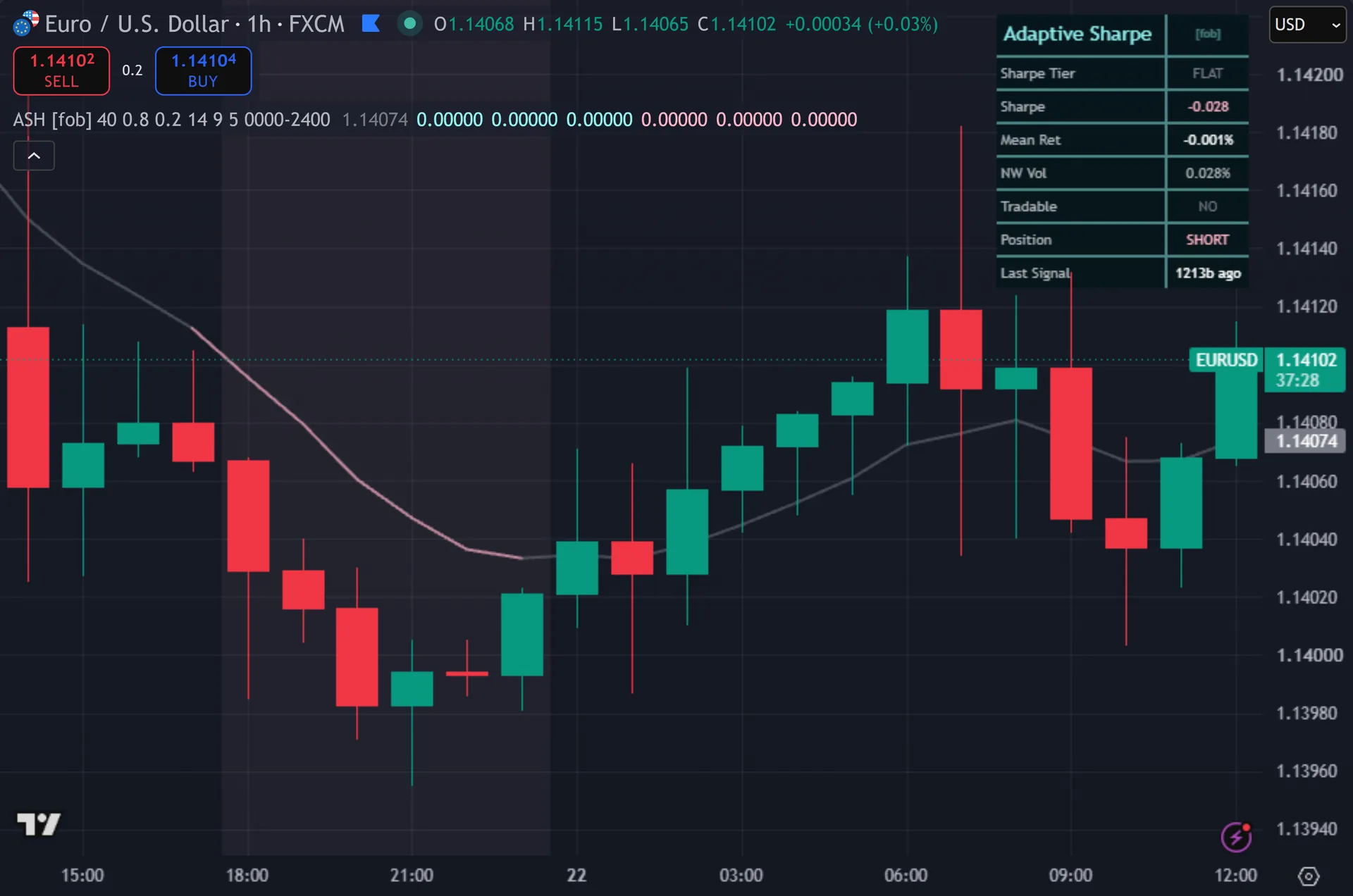
The chart stays clean. Thus, one line plots the 9-period reclaim EMA, and it takes the bias colour: cyan while the bias is positive, pink while it is negative, grey while flat. Signals print as three stacked squares carrying the text ASH, below the bar for buys and above it for sells. Hence, the signal bar takes a matching colour. The background carries a light tint that darkens in the strong tiers. Next, a dashboard lists the tier name, the Sharpe value to three decimals, mean return, corrected volatility, whether the regime is tradable, the position state and bars since the last signal.
How Adaptive Sharpe Regime is built
A Sharpe ratio built for bars, not years
The script takes log returns by default, using the natural log of close divided by the previous close. Then, it averages them over 40 bars and measures their variance across the same window. Sharpe is that mean divided by the standard deviation.
One correction sits in between. Yet, bar returns are rarely independent, and serial correlation makes plain variance look too small. So the script adds twice the lag-1 autocovariance to the variance before taking the square root. Truly, that is a single-lag Newey-West adjustment, and you can switch it off in the inputs.
Two points of honesty follow. Plainly, this Sharpe runs per bar and unannualised, and it applies no benchmark rate, so the numbers land far below the annual figures quoted for funds. Read it as a relative score. Also, the correction can also shrink the denominator when the autocovariance turns negative, which lifts the ratio.
Five tiers, then an EMA reclaim
Tiers come from fixed levels. Indeed, a Sharpe at or above 0.8 reads STRONG PLUS. A reading between 0.2 and 0.8 reads MILD PLUS. Still, the mirror applies below zero, at minus 0.2 and minus 0.8. Anything between the two mild levels reads FLAT and blocks trading. Thus, the tier sign becomes the bias.
The tier alone triggers nothing. It arms a direction. Timing comes from a 9-period EMA. Hence, a close crossing above that EMA while the bias is positive prints a buy. A close crossing below it while the bias is negative prints a sell. Next, turn on Require Strong Tier and only the 0.8 tiers stay armed.
Three more gates apply. Then, signals need barstate.isconfirmed, so they arrive on the close. A 5-bar cooldown blocks rapid repeats. Yet, a position state variable then stops the same side firing twice in a row. Fifteen alert routes ship with the script, including two JSON webhook payloads and separate conditions for tier changes, bias flips, EMA crosses and a zero cross of the Sharpe itself.
How to read the signals
Start with the tier row. Truly, STRONG PLUS says the last 40 bars produced steady positive returns against their own noise. FLAT says they did not, and the Tradable row then shows NO. Plainly, the tool sits out that state, so a quiet chart is normal rather than broken.
Then wait for the reclaim. Also, a tier can hold positive for a long stretch without a signal, because price must cross the 9-period EMA in that direction first. That is the timing half of the design. Indeed, the Sharpe value supplies the bias, and the cross supplies the bar.
Watch the Position row for what the script thinks it holds. Still, it flips to LONG on a buy and SHORT on a sell, and it never returns to FLAT afterwards. The code carries no exit rule. Thus, your own stop and target decide when a trade ends, not this indicator.
Every Adaptive Sharpe Regime setting explained
The script exposes 17 inputs, grouped in the settings panel exactly as shown below. Defaults are the published values.
Sharpe
| Setting | What it does | Default | Range |
|---|---|---|---|
| Sharpe Window | Bars of returns the Sharpe ratio is computed over. | 40 | 10 to 200 |
| Log Returns | On = log returns; Off = simple returns. | on | on / off |
| Newey-West Correction | Inflate variance by the lag-1 autocovariance term. | on | on / off |
| Strong Sharpe | |Sharpe| above this = strong regime. | 0.8 | 0.2 to 3.0 |
| Mild Sharpe | |Sharpe| above this but below Strong = mild. | 0.2 | 0.0 to 2.0 |
| ATR Length | Sets the atr length used in the calculation. | 14 | 5 to 50 |
Signal Logic
| Setting | What it does | Default | Range |
|---|---|---|---|
| Entry Reclaim EMA | After the Sharpe tier sets a bias, a close-cross of this EMA in that direction times the entry. | 9 | 2 to 50 |
| Require Strong Tier | On = only trade in the strong Sharpe tier. | off | on / off |
| Cooldown Bars | Sets the cooldown bars used in the calculation. | 5 | 1 to 40 |
Filters
| Setting | What it does | Default | Range |
|---|---|---|---|
| Restrict to Session | Toggles restrict to session on the chart. | off | on / off |
| Session Window | Controls session window. | 0000-2400 |
Visual
| Setting | What it does | Default | Range |
|---|---|---|---|
| Show Dashboard | Toggles show dashboard on the chart. | on | on / off |
| Show 3-Layer Glow | Toggles show 3-layer glow on the chart. | on | on / off |
| Show Reclaim EMA | Toggles show reclaim ema on the chart. | on | on / off |
| Buy Color | Colour used for buy color. | #90f1ef | |
| Sell Color | Colour used for sell color. | #ffb3c6 | |
| Dashboard BG | Colour used for dashboard bg. | color.new(#03151a, 14) |

Alerts built into Adaptive Sharpe Regime
The script ships 15 alert conditions. Hence, open the alert dialog on the chart, pick the indicator as the condition source, then choose the event you want. Alerts fire on the close of the bar, so they follow the same confirmed-bar rule the on-chart signals use.
- ASH Buy
- ASH Sell
- ASH Any Signal
- ASH Strong Plus
- ASH Strong Minus
- ASH Bias Bull
- ASH Bias Bear
- ASH EMA Up
- ASH EMA Down
- ASH Sharpe Zero
- ASH Tier Change
- ASH Armed
Other markets and timeframes
Returns are ratios, so the calculation self-normalises across everything. Next, a Sharpe of 0.8 means the same thing on EURUSD, on gold, on the Nasdaq or on bitcoin, and no threshold needs retuning per symbol. The script also never touches volume, which keeps it usable where the volume feed is thin or missing. Then, timeframe matters more than market here. Higher timeframes give fewer and slower tier changes, while a fast chart flips tiers often, so raise the cooldown there.

Limitations worth knowing
The tool grades a regime and times an entry. It does nothing after that. There is no stop, no target, no trailing logic and no sizing. Yet, the Position row tracks a direction rather than a real trade, and it never returns to flat once the first signal fires.
The Sharpe window looks back 40 bars, so the tier describes what already happened. Truly, a regime that turned two bars ago still reads on the old tier for a while. Signals also need a fresh EMA cross, so a move that runs without ever pulling back to the 9 EMA produces no entry at all.
One input does nothing. Plainly, the script computes ATR from the ATR Length setting, then never uses that value in any signal, plot or dashboard row, so changing it has no effect. The Newey-West correction also uses a single lag, which handles mild serial correlation only, not longer memory.
Get Adaptive Sharpe Regime on TradingView
Open Adaptive Sharpe Regime on TradingView
If you also trade MetaTrader, the MT4 and MT5 indicator library is available below.
Get the complete indicator library
One email unlocks the full MT4 and MT5 indicator library. Also, this TradingView script stays free on TradingView – the button above adds it to your chart.
Using it alongside MetaTrader
Adding a script on TradingView takes one click, so there is no install step here. Indeed, if you want the same idea on MetaTrader, the MT4 and MT5 indicator installation guide walks through copying files into the data folder and attaching them to a chart. You can also browse the full MetaTrader indicator library, the MT4 indicators section, or the other free TradingView scripts published on this profile. For related chart tools see the MT5 indicators section and the forex trading strategies guides.
External references
- International Federation of Technical Analysts on Wikipedia
- Stochastic Oscillator at Investopedia
- Raff Regression Channel at StockCharts ChartSchool
Frequently asked questions
Does Adaptive Sharpe Regime repaint?
No. Still, both signals require barstate.isconfirmed, and the squares, the bar colouring and the alerts all read those same variables. The background tint follows the live tier and can change on a forming bar, but the signal marks themselves stay fixed once printed.
What counts as a good Sharpe reading here?
Compare it against the tier levels, not against fund reporting. Thus, the script calls 0.2 mild and 0.8 strong on per-bar, unannualised returns. Those figures sit far below an annualised Sharpe, so 0.8 here is a firm reading rather than a modest one.
What does the Newey-West correction do?
It widens the volatility estimate. Hence, plain variance assumes each bar return is independent, which price data rarely is. The script adds twice the lag-1 autocovariance before taking the square root, so a trending series with positive autocorrelation gets a lower and more conservative Sharpe.
Why did the tier turn positive without a signal?
The tier only sets bias. Next, an entry also needs a close crossing the 9-period EMA in the same direction, a 5-bar cooldown that has elapsed, and a position state that is not already long. Check the Tradable and Position rows to see which gate is holding.
How much should I rely on this indicator?
Treat it as one input, not a decision. Then, it is a chart analysis tool, not trading advice. Test it on your own markets and timeframes before relying on it. Results are not guaranteed; past performance is not indicative of future results.

About the author
Written by Dominic Walsh, a Forex trader and MT4/MT5 indicator, Expert Advisor and script developer. Every tool on forexmt4systems.com is tested on live charts before release and ships with ready-to-use compiled MT4 (.ex4) and MT5 (.ex5) files. Learn more about the trader and developer behind this site.
How we build, test and correct every tool: Editorial & Testing Policy. Trading carries risk; see the disclaimer.