
A gap that fails often matters more than a gap that holds. Also, inversion FVG Tracker is a fair value gap indicator TradingView traders can use to follow that failure. It finds three-candle gaps, waits for price to close fully through one, then flips its role. Indeed, a filled bullish gap becomes a resistance zone. A filled bearish gap becomes support. Still, signals key off the flip, not the original gap.
It is free and open source. Thus, you can add it to any chart from the Inversion FVG Tracker script page on TradingView, and the full Pine source is published there for you to read.
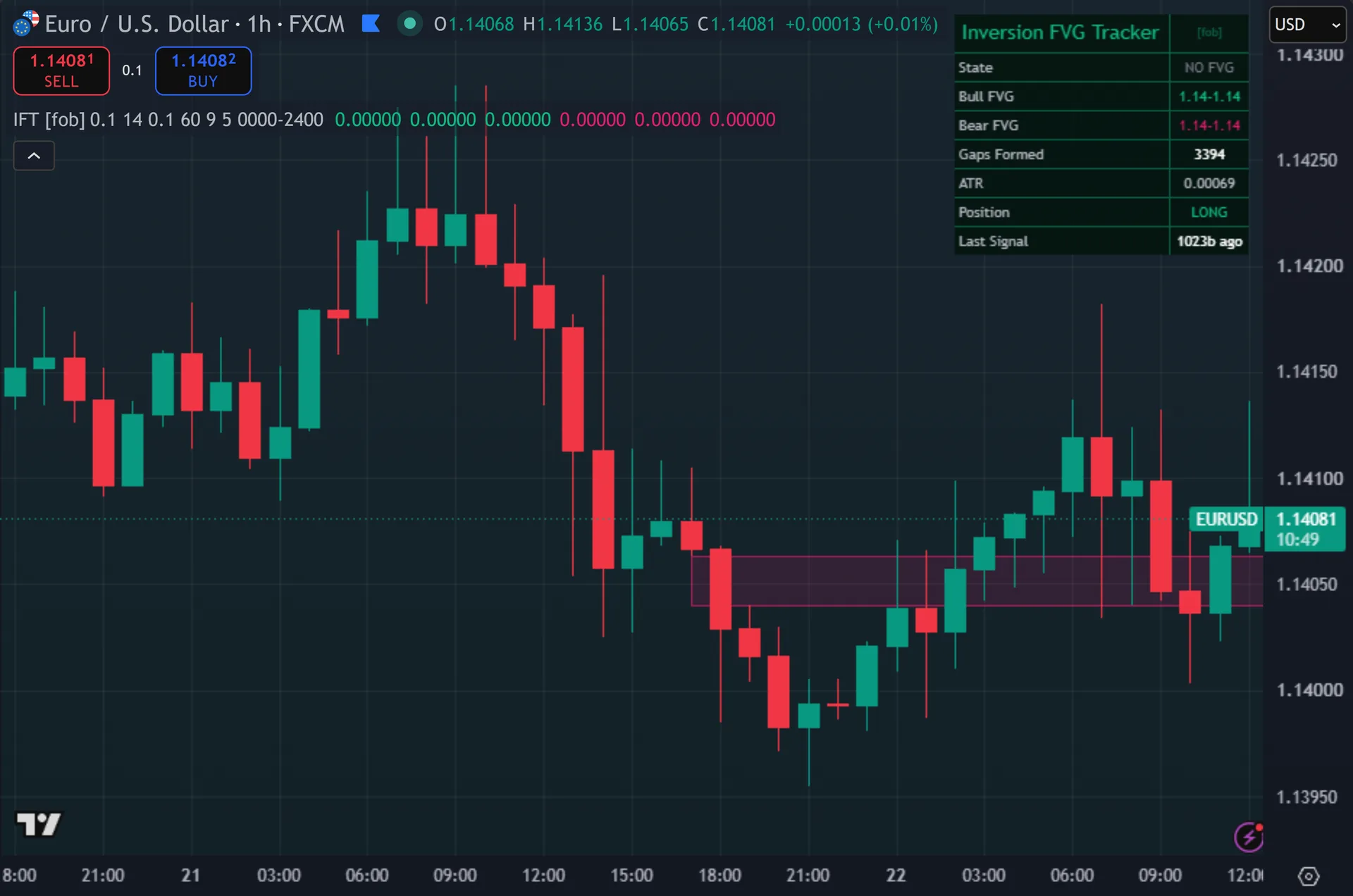
What Inversion FVG Tracker plots on the price chart
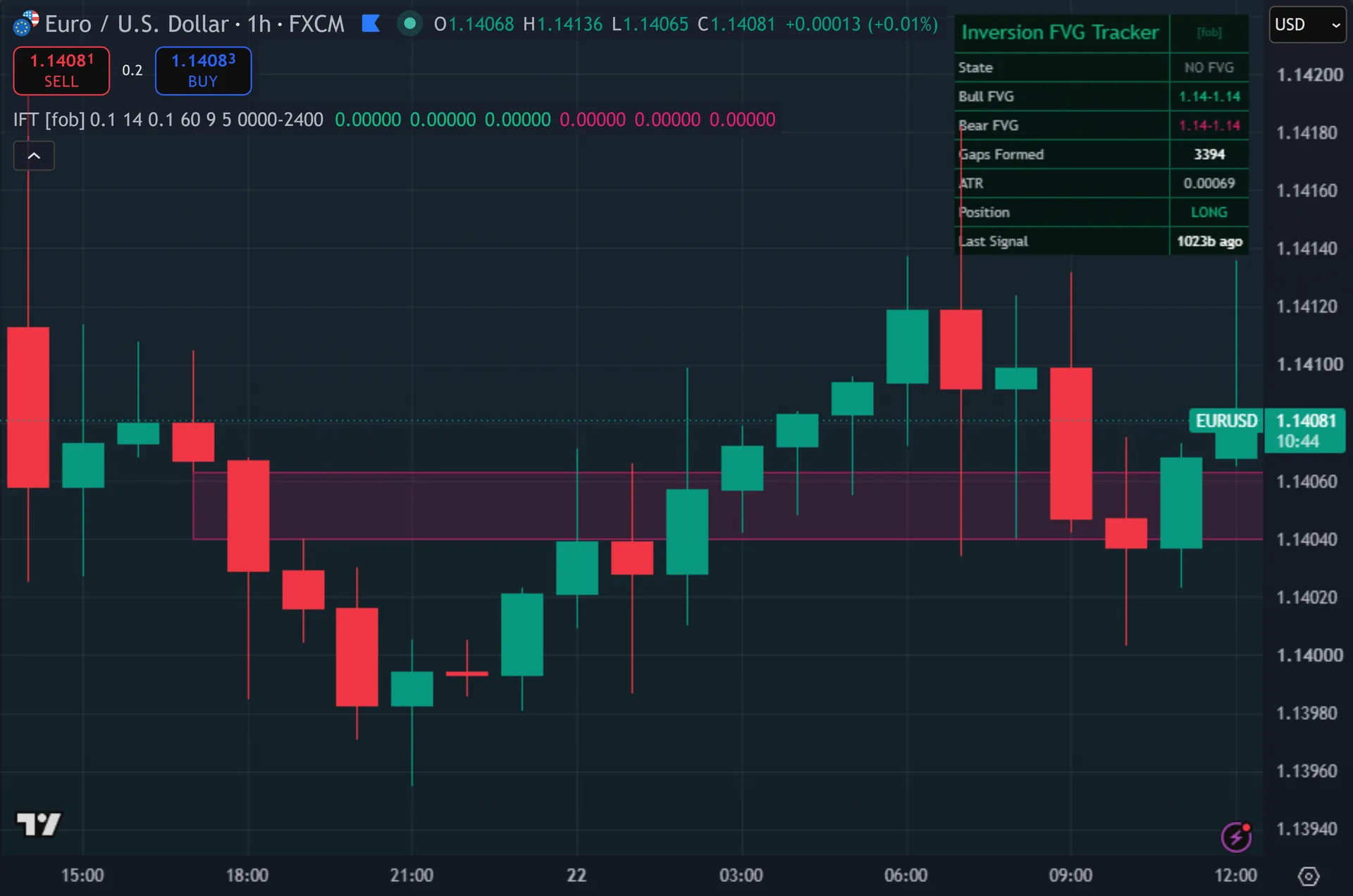
The script draws two boxes at most: one for the newest bullish gap and one for the newest bearish gap. Hence, each box spans the gap edges, starts two bars back and extends 18 bars to the right. Green marks bullish, pink marks bearish. Next, triangles tagged IFT print below or above signal bars, backed by two larger translucent copies. Signal bars get recoloured and the background carries a faint tint while an inversion bias holds. Then, the dashboard lists state, both gap ranges, total gaps formed, ATR, position and bars since the last signal.
How Inversion FVG Tracker is built
Detecting and ageing a gap
A bullish gap needs the current low to sit above the high from two bars back. Yet, a bearish gap needs the current high to sit below the low from two bars back. The middle candle leaves that space untraded. Truly, the script measures the space and requires at least 0.10 times ATR over 14 bars, which filters out micro-gaps on quiet charts.
Only two gaps live at any time: the newest bullish one and the newest bearish one. Plainly, a fresh gap overwrites the previous one of the same type. Each carries a state number – 1 for open, 2 for inverted, 3 for retested – plus its own age counter.
Unfilled gaps do not last forever. Also, once an open gap passes 60 bars, its state resets to zero and the script stops tracking it. Filled gaps skip that rule, because they have already moved to state 2.
Inversion, bias and entry
Mitigation is strict by default. Indeed, with Mitigate on Close enabled, a bullish gap inverts only when a close prints below the gap’s lower edge. A bearish gap inverts when a close prints above its upper edge. Still, switch the input off and a wick is enough, since the test then uses low and high instead of close.
The moment a gap inverts, the script arms a persistent bias. Thus, a bearish gap that inverts becomes support, so the bias turns bullish. A bullish gap that inverts becomes resistance, so the bias turns bearish. Hence, that bias stays in force until the opposite inversion fires.
Two entry modes exist, and the default may surprise you. Retest-Only Mode ships off. So by default a signal fires on a 9-bar EMA cross in the direction of the armed bias, anywhere on the chart, not at the gap. Next, turn Retest-Only Mode on and signals fire strictly when price returns into the inverted zone, within a 0.10 ATR buffer. That mode produces far fewer marks.
How to read the signals
The State row tells you which regime you are in. Then, BULL FVG INVERTED means the last bullish gap failed, so the script leans bearish. BEAR FVG INVERTED means the opposite. Yet, FVG OPEN means a gap exists but nothing has flipped yet, and under default settings no signal can fire in that state.
The boxes show where the gaps sit, but only the two newest. Truly, the Gaps Formed counter keeps rising as older ones scroll away, so a high count on an empty-looking chart just means earlier boxes have been replaced.
In default mode the entry is an EMA cross, so the triangle can land well away from the drawn zone. Plainly, if you want the classic behaviour where price must come back and test the inverted gap, switch Retest-Only Mode on and expect far fewer signals.
Every Inversion FVG Tracker setting explained
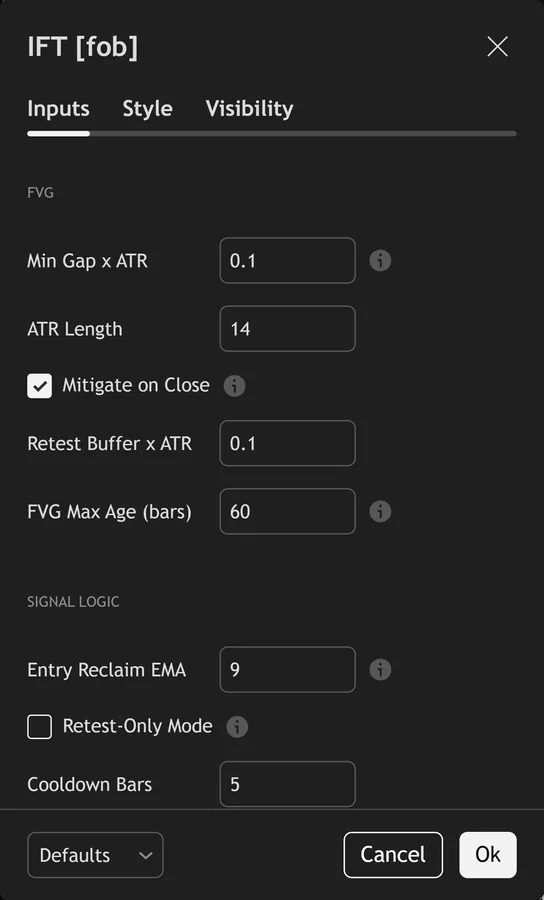
The script exposes 16 inputs, grouped in the settings panel exactly as shown below. Defaults are the published values.
FVG
| Setting | What it does | Default | Range |
|---|---|---|---|
| Min Gap x ATR | Gap must span at least k x ATR to register. | 0.10 | 0.0 to 3.0 |
| ATR Length | Sets the atr length used in the calculation. | 14 | 5 to 50 |
| Mitigate on Close | On = FVG inverts when CLOSE passes fully through it. | on | on / off |
| Retest Buffer x ATR | Sets the retest buffer x atr used in the calculation. | 0.10 | 0.0 to 2.0 |
| FVG Max Age (bars) | Unmitigated FVGs older than this are discarded. | 60 | 5 to 200 |
Signal Logic
| Setting | What it does | Default | Range |
|---|---|---|---|
| Entry Reclaim EMA | After an FVG inverts, a close-cross of this EMA in the inverted-bias direction times the entry. | 9 | 2 to 50 |
| Retest-Only Mode | On = fire strictly on the inverted-FVG retest (rarer, classic). Off = EMA reclaim inside the active inversion bias (more signals). | off | on / off |
| Cooldown Bars | Sets the cooldown bars used in the calculation. | 5 | 1 to 40 |
Filters
| Setting | What it does | Default | Range |
|---|---|---|---|
| Restrict to Session | Toggles restrict to session on the chart. | off | on / off |
| Session Window | Controls session window. | 0000-2400 |
Visual
| Setting | What it does | Default | Range |
|---|---|---|---|
| Show FVG Zones | Toggles show fvg zones on the chart. | on | on / off |
| Show Dashboard | Toggles show dashboard on the chart. | on | on / off |
| Show 3-Layer Glow | Toggles show 3-layer glow on the chart. | on | on / off |
| Buy Color | Colour used for buy color. | #10b981 | |
| Sell Color | Colour used for sell color. | #e11d6f | |
| Dashboard BG | Colour used for dashboard bg. | color.new(#04140d, 15) |
Alerts built into Inversion FVG Tracker
The script ships 14 alert conditions. Also, open the alert dialog on the chart, pick the indicator as the condition source, then choose the event you want. Alerts fire on the close of the bar, so they follow the same confirmed-bar rule the on-chart signals use.
- IFT Buy
- IFT Sell
- IFT Any Signal
- IFT Bull FVG
- IFT Bear FVG
- IFT Bull Inverted
- IFT Bear Inverted
- IFT Inv Bull Test
- IFT Inv Bear Test
- IFT Any FVG
- IFT Inversion Live
- IFT Webhook JSON
Other markets and timeframes
The gap test is pure price structure and the size filter uses ATR, so the script rescales itself on any symbol. Indeed, gold, indices, crypto and equities need no change to the 0.10 ATR minimum gap or the 0.10 ATR retest buffer. Volume plays no part anywhere in the code. Still, the inputs worth reviewing per market are the 60-bar expiry and the 5-bar cooldown, since gap frequency rises sharply on fast intraday charts.

Limitations worth knowing
The script tracks one bullish and one bearish gap at a time. Thus, it is not a full FVG mapper. If three bullish gaps form in a run, only the newest survives, and the older two vanish from both the boxes and the state machine.
Under default settings the entry has no positional link to the gap. Hence, the inversion arms a bias, then a 9-bar EMA cross times the entry. Traders who expect a strict retest entry must enable Retest-Only Mode themselves.
No stop, target or sizing logic exists here. Next, the tool also holds no higher-timeframe view, since it contains no request.security call and reads only the chart timeframe you have open.
Get Inversion FVG Tracker on TradingView
Open Inversion FVG Tracker on TradingView
If you also trade MetaTrader, the MT4 and MT5 indicator library is available below.
Get the complete indicator library
One email unlocks the full MT4 and MT5 indicator library. Then, this TradingView script stays free on TradingView – the button above adds it to your chart.
Using it alongside MetaTrader
Adding a script on TradingView takes one click, so there is no install step here. Yet, if you want the same idea on MetaTrader, the MT4 and MT5 indicator installation guide walks through copying files into the data folder and attaching them to a chart. You can also browse the full MetaTrader indicator library, the MT4 indicators section, or the other free TradingView scripts published on this profile. For related chart tools see the MT5 indicators section and the forex trading strategies guides.
External references
- Price action trading on Wikipedia
- Liquidity at Investopedia
- Gaps And Gap Analysis at StockCharts ChartSchool
Frequently asked questions
Does the Inversion FVG Tracker repaint?
No. Truly, both signal plotshape calls read buySignal and sellSignal, and each requires barstate.isconfirmed. A gap itself only becomes known once the third candle closes, which follows from the three-candle definition rather than from any repaint.
What counts as an inverted fair value gap?
A gap that price has closed fully through. Plainly, the script then flips its role. A bullish gap that price closed below becomes a resistance zone. Also, a bearish gap that price closed above becomes a support zone.
Why did no signal fire at the retest?
Check Retest-Only Mode. Indeed, with it off, which is the default, a retest only marks the gap as tested and moves its state to 3. The actual entry then waits for a 9-bar EMA cross in the direction of the armed bias.
How small a gap gets ignored?
Anything under 0.10 times the 14-bar ATR. On a symbol with an ATR of 20 pips, that means gaps under 2 pips never register. Raise the input toward 0.30 or 0.50 if your chart produces too many small gaps.
How much should I rely on this indicator?
Treat it as one input, not a decision. Still, it is a chart analysis tool, not trading advice. Test it on your own markets and timeframes before relying on it. Results are not guaranteed; past performance is not indicative of future results.

About the author
Written by Dominic Walsh, a Forex trader and MT4/MT5 indicator, Expert Advisor and script developer. Every tool on forexmt4systems.com is tested on live charts before release and ships with ready-to-use compiled MT4 (.ex4) and MT5 (.ex5) files. Learn more about the trader and developer behind this site.
How we build, test and correct every tool: Editorial & Testing Policy. Trading carries risk; see the disclaimer.