
Every swing high starts somewhere. Also, swing Catalyst Hunter, a swing trading indicator TradingView users can add to any chart, works backwards to find that bar. When a pivot confirms, the script scans the bars just before it and scores each one from 0 to 100 on volume, range, close position and counter-trend character. Indeed, the strongest bar above 65 becomes the catalyst, and the chart links it to the swing it produced.
It is free and open source. Still, you can add it to any chart from the Swing Catalyst Hunter script page on TradingView, and the full Pine source is published there for you to read.
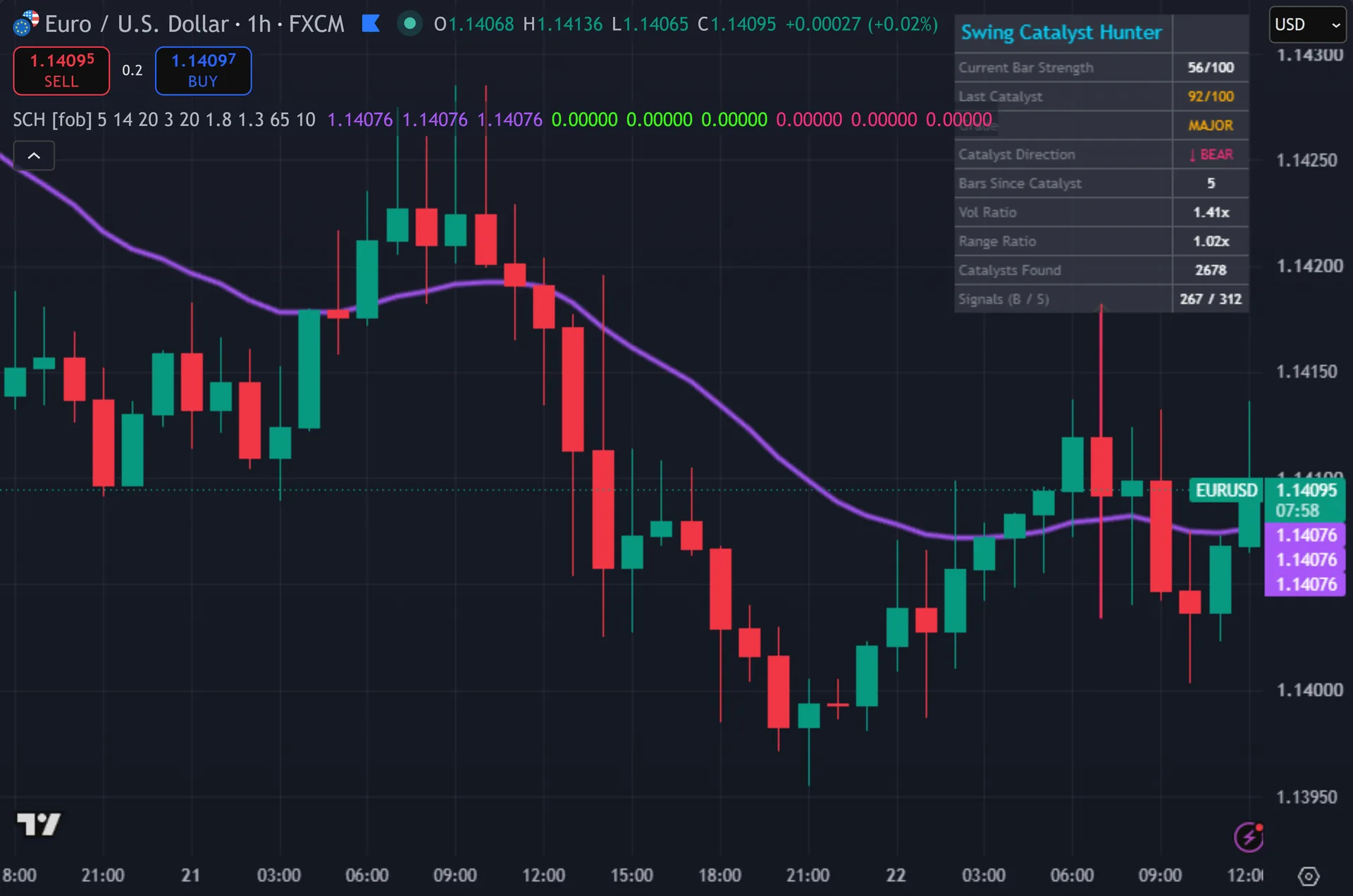
What Swing Catalyst Hunter plots on the price chart
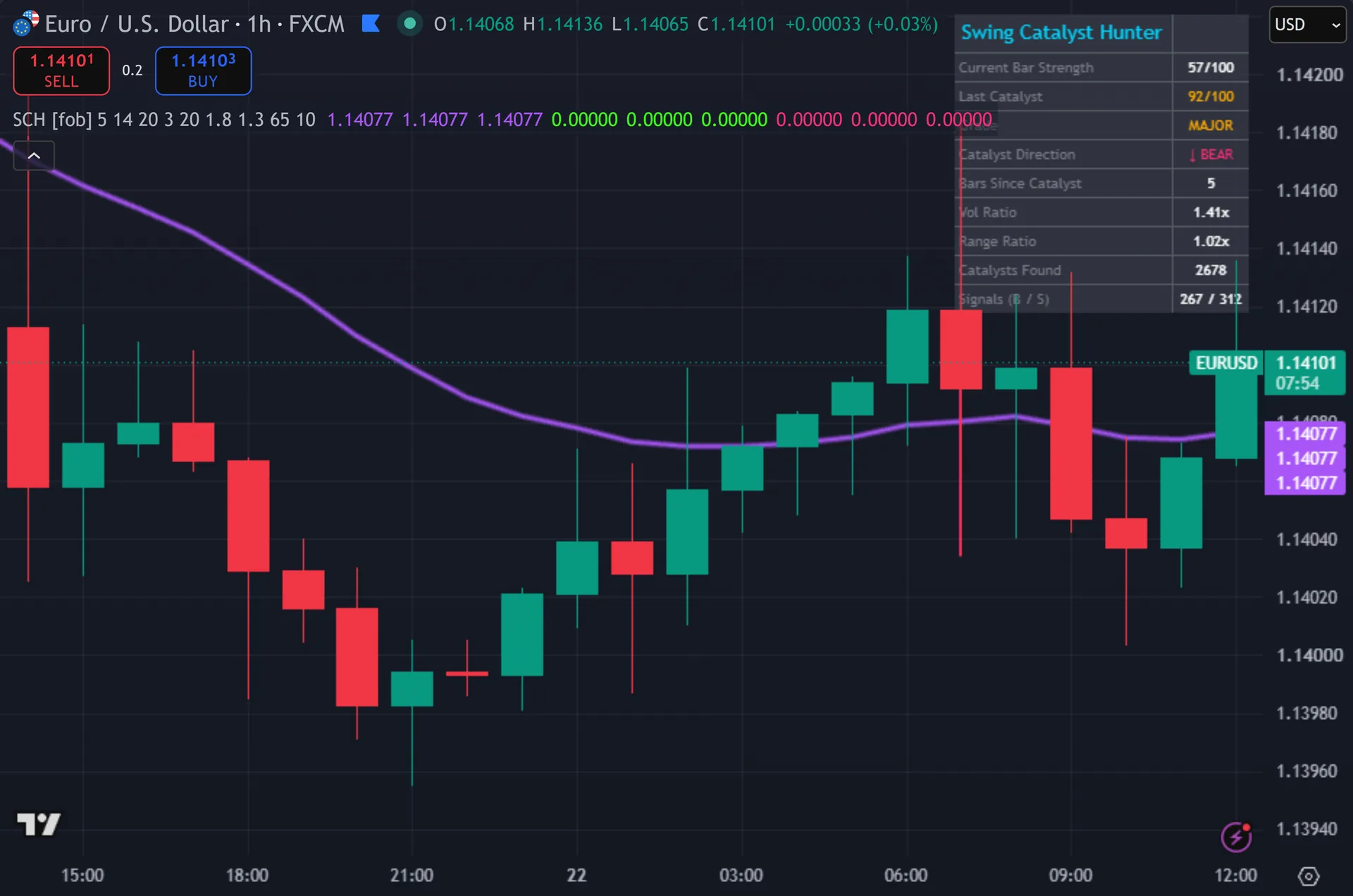
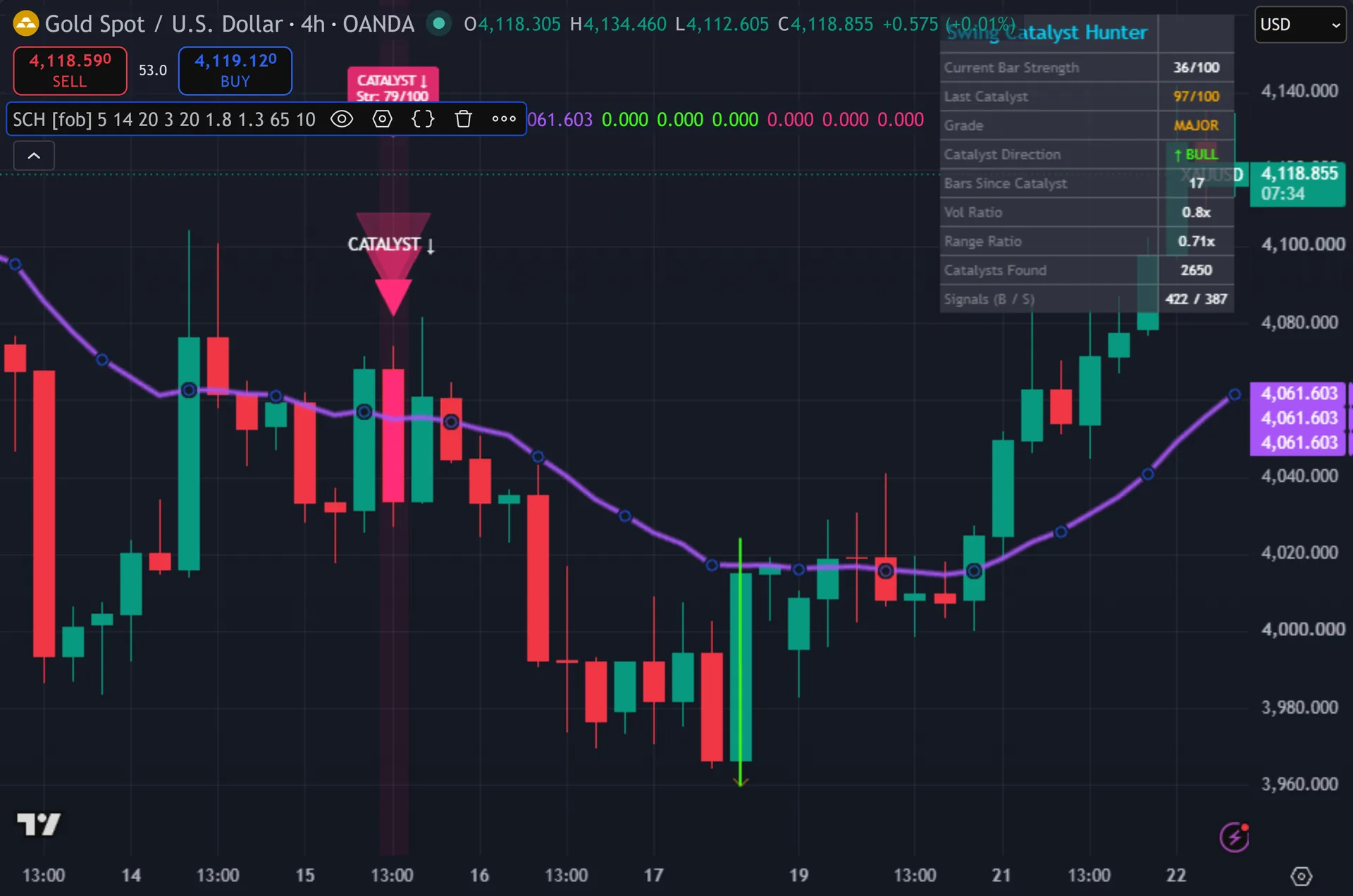
A 20-period EMA runs across the chart in purple with a three-layer glow. Thus, when the script finds a catalyst it boxes that single bar from its high to its low, green under a pivot low and pink under a pivot high. A gold arrow line then runs from the box to the pivot it produced. Hence, entries print as glowing triangles carrying CATALYST text, plus a label with the catalyst score out of 100 and its age in bars. A ten-row dashboard sits top right.
How Swing Catalyst Hunter is built
Scoring the catalyst bar
The script grades every bar as it forms. Next, four components add up to 100. Volume against its 20-bar average contributes up to 30 points, and it maxes out at 1.8 times average. Then, range against a 14-period ATR contributes another 30, capped at 1.3 times ATR.
Close position contributes 20. Yet, a bullish bar earns more the closer it shuts to its high. A bearish bar earns more the closer it shuts to its low. Truly, the final 20 points go to counter-trend character. A down bar while price sits above the 20-EMA scores them, and so does an up bar below it. Plainly, that component targets the exhaustion bar rather than the continuation bar.
The script marks nothing until a pivot confirms. Also, it uses a five-bar pivot, so a swing high needs five lower highs on each side of it.
Linking catalyst to pivot
When a pivot confirms, the script looks back over a fixed slice: bars five through eight behind the current bar. Indeed, it picks the highest-scoring bar in that slice. If that score reaches 65 the script records it, draws the box and the gold arrow, and remembers the direction.
Entries then need five more conditions on the current bar. Still, the catalyst must be no more than ten bars old. The bar must close in the catalyst direction. Thus, price must sit on the right side of the 20-EMA. Volume must beat its 20-bar average. Hence, and the ten-bar cooldown must have elapsed since the last mark.
Every signal also checks barstate.isconfirmed. Next, so the triangle prints after the bar closes, never during it.
How to read the signals
Read the box and the arrow first. Then, the box marks the bar the script blames for the swing. The gold arrow points at the pivot that followed. Yet, together they show a cause and its effect, which is easier to judge than a lone arrow floating on the chart.
Then read the grade. Truly, the dashboard turns the score into words: 85 and above reads MAJOR, 70 and above STRONG, 55 and above MODERATE. Volume ratio and range ratio sit right below, so you can see which component carried the score. Plainly, a catalyst built on range alone reads differently from one built on heavy volume and a counter-trend close.
Accept the delay. Also, the five-bar pivot confirms five bars after the swing prints, and the catalyst sits up to three bars further back. So the box can appear roughly eight bars after the event. Indeed, the entry then waits for its own confirmation. This tool frames context, and it does not call the exact turn.
Every Swing Catalyst Hunter setting explained
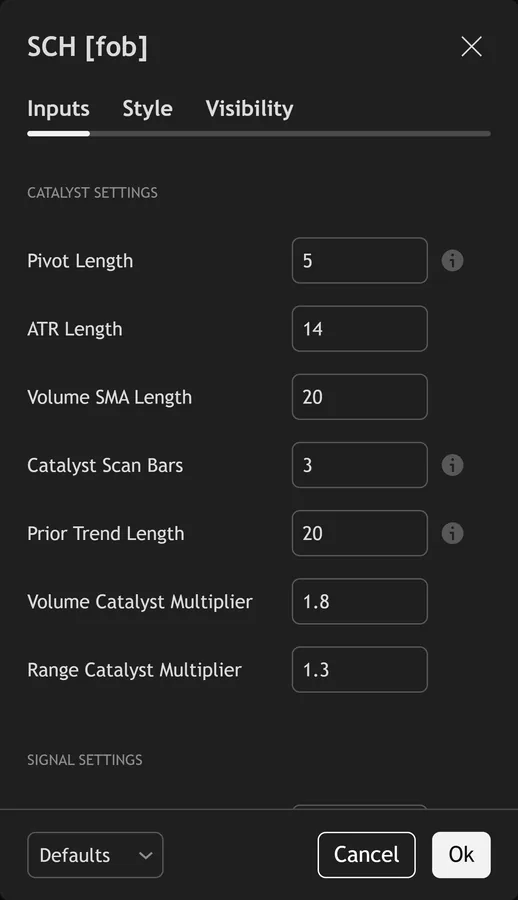
The script exposes 15 inputs, grouped in the settings panel exactly as shown below. Defaults are the published values.
Catalyst Settings
| Setting | What it does | Default | Range |
|---|---|---|---|
| Pivot Length | Lookback for swing pivot detection | 5 | 2 to 15 |
| ATR Length | Sets the atr length used in the calculation. | 14 | 5 to 50 |
| Volume SMA Length | Sets the volume sma length used in the calculation. | 20 | 5 to 100 |
| Catalyst Scan Bars | Bars to scan back from pivot for catalyst | 3 | 1 to 10 |
| Prior Trend Length | Lookback for prior trend direction | 20 | 5 to 100 |
| Volume Catalyst Multiplier | Sets the volume catalyst multiplier used in the calculation. | 1.8 | 1.2 to 4.0 |
| Range Catalyst Multiplier | Sets the range catalyst multiplier used in the calculation. | 1.3 | 1.0 to 3.0 |
Signal Settings
| Setting | What it does | Default | Range |
|---|---|---|---|
| Catalyst Strength Threshold | Minimum 0-100 catalyst strength | 65 | 50 to 95 |
| Signal Cooldown Bars | Sets the signal cooldown bars used in the calculation. | 10 | 3 to 50 |
Visual Settings
| Setting | What it does | Default | Range |
|---|---|---|---|
| Show Catalyst Dashboard | Toggles show catalyst dashboard on the chart. | on | on / off |
| Show Catalyst Box | Toggles show catalyst box on the chart. | on | on / off |
| Show Catalyst→Pivot Arrow | Toggles show catalyst→pivot arrow on the chart. | on | on / off |
| Show 3-Layer Signal Glow | Toggles show 3-layer signal glow on the chart. | on | on / off |
| Buy Color | Colour used for buy color. | #39ff14 | |
| Sell Color | Colour used for sell color. | #ff2d78 |
Alerts built into Swing Catalyst Hunter
The script ships 11 alert conditions. Still, open the alert dialog on the chart, pick the indicator as the condition source, then choose the event you want. Alerts fire on the close of the bar, so they follow the same confirmed-bar rule the on-chart signals use.
- SCH Buy Catalyst
- SCH Sell Catalyst
- SCH Any Signal
- SCH Major Catalyst Bar
- SCH New Pivot High
- SCH New Pivot Low
- SCH Volume Catalyst
- SCH Counter-Trend Bar
- SCH Webhook JSON
Other markets and timeframes
Most of the scoring stays relative. Thus, volume divides by its own average, range divides by ATR, and close position works as a fraction of the bar. Those parts transfer to indices, crypto and equities without change. Volume is the catch. Spot forex volume comes from broker tick counts rather than an exchange, so it acts as a proxy only. On instruments with no volume feed the score caps at 70 and the entry gate never opens.
Limitations worth knowing
This finds and frames a catalyst. Hence, it does not manage a trade. There is no stop, no target and no sizing, and the tool takes no view on higher-timeframe structure.
Detection lags by design. Next, the pivot needs five bars of confirmation, so nothing appears in real time at the swing itself. The chart also holds only one box and one arrow at a time. Then, each new catalyst deletes the previous drawing, so you cannot review a history of them on screen.
The Catalysts Found counter ticks up on every pivot while any catalyst sits on record, so read it as a rough tally rather than an exact count. Yet, the script also calls no request.security, so it reads one timeframe only. And the 65 threshold trades coverage against selectivity: lower it and weak bars qualify, raise it and whole swings pass unmarked.
Get Swing Catalyst Hunter on TradingView
Open Swing Catalyst Hunter on TradingView
If you also trade MetaTrader, the MT4 and MT5 indicator library is available below.
Get the complete indicator library
One email unlocks the full MT4 and MT5 indicator library. Truly, this TradingView script stays free on TradingView – the button above adds it to your chart.
Using it alongside MetaTrader
Adding a script on TradingView takes one click, so there is no install step here. Plainly, if you want the same idea on MetaTrader, the MT4 and MT5 indicator installation guide walks through copying files into the data folder and attaching them to a chart. You can also browse the full MetaTrader indicator library, the MT4 indicators section, or the other free TradingView scripts published on this profile. For related chart tools see the MT5 indicators section and the forex trading strategies guides.
External references
- Candlestick pattern on Wikipedia
- Pivot Point at Investopedia
- Candlestick Charts at StockCharts ChartSchool
Frequently asked questions
Does Swing Catalyst Hunter repaint?
The signal triangles do not. Also, they check barstate.isconfirmed and print only on closed bars. The catalyst box works differently by nature. Indeed, it appears several bars after the fact, because a five-bar pivot must confirm first. Once drawn, it never moves.
What counts as a catalyst bar?
A bar scoring at least 65 out of 100 in the slice just before a confirmed pivot. Still, heavy volume, a wide range against ATR, a decisive close and a counter-trend direction all add points. A quiet inside bar scores near zero and never qualifies.
Why did a clear swing produce no signal?
Either no bar in the scan slice reached 65, or a later gate blocked the entry. Thus, the signal bar must close in the catalyst direction, sit on the correct side of the 20-EMA and carry above-average volume, with the ten-bar cooldown already clear.
Does it work without volume data?
Not well. Hence, volume feeds up to 30 of the 100 points and it also gates every entry. On a symbol with no volume feed the score cannot pass 70 and the entry gate stays shut. Next, spot forex reports broker tick volume, which still works as a relative proxy.
How much should I rely on this indicator?
Treat it as one input, not a decision. Then, it is a chart analysis tool, not trading advice. Test it on your own markets and timeframes before relying on it. Results are not guaranteed; past performance is not indicative of future results.

About the author
Written by Dominic Walsh, a Forex trader and MT4/MT5 indicator, Expert Advisor and script developer. Every tool on forexmt4systems.com is tested on live charts before release and ships with ready-to-use compiled MT4 (.ex4) and MT5 (.ex5) files. Learn more about the trader and developer behind this site.
How we build, test and correct every tool: Editorial & Testing Policy. Trading carries risk; see the disclaimer.