
The 100 pips ea indicator is an Expert Advisor. It opens and manages real positions rather than drawing on your chart. Its aim is size: a 500 pip stop and a 1000 pip target mean it holds through noise that would stop a scalper out. Entries come from a 20-bar breakout, and a 200 period EMA decides which direction it will take one.
This build ships as a compiled .ex4 for MT4 and .ex5 for MT5; the screenshots below come from EURUSD H1.
| Platforms | MT4 (.ex4) + MT5 (.ex5) |
|---|---|
| Chart window | n/a |
| Plots | 0 |
| Alerts | none |
| Inputs | 19 |
Everything the 100 Pips EA Indicator draws
Nothing on the chart. This build declares no plot buffers and creates no objects.
It installs to the Experts folder, and its output arrives as orders in the Terminal.
Sizing, stop, target and trailing behaviour all come from inputs rather than chart controls.
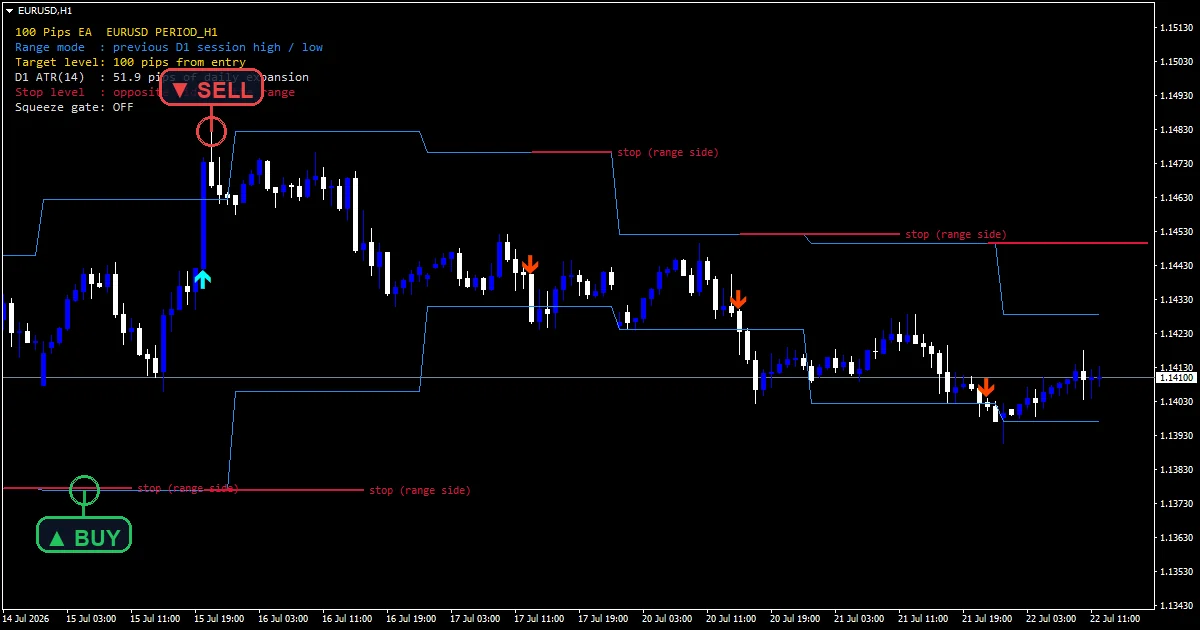
How the 100 Pips EA Indicator does its maths
Finding the breakout level
iHighest and iLowest run over `BreakoutBars` starting at shift 2, so priorHigh and priorLow describe bars that finished before the one under test. Starting at 2 rather than 1 keeps the signal bar out of the level it must clear, which would otherwise make a breakout impossible.
Filtering by the long trend
ema reads iMA over `EmaPeriod` at shift 1. longSig then wants two things at once: closeBar above priorHigh AND closeBar above ema. shortSig needs the mirror pair. That second condition is what stops the robot buying a breakout while price sits under a falling 200 EMA, which is where breakout systems bleed.
Acting only on a closed bar
closeBar takes Close[1], the most recently finished candle. Nothing reads the forming bar. A break that appears mid-candle and unwinds before the close never reaches the order logic at all.
Sizing and protecting
Under RISK_PERCENT the code derives riskMoney from AccountEquity() and `RiskPercent`, divides by the value per lot, then rounds to the broker’s lot step through lotDigits. Stops respect the server: d takes MathMax of MODE_STOPLEVEL and MODE_FREEZELEVEL, so the EA never sends a stop closer than the broker allows. slDist and tpDist come from `StopLossPips` and `TakeProfitPips`, each normalised to the symbol digits.
How to read what it shows
There is no chart output. Judge it from the Terminal, account history and the Strategy Tester.
Entries fire on a closed bar only, so nothing happens mid-candle.
One position at a time by default, and it only manages orders carrying its own magic number.
A wide spread blocks the entry outright rather than filling at a worse price.
This build declares no alert inputs at all. There is no popup, notification, email or sound option, because the EA acts on its own signals rather than reporting them. Trade management takes their place: a mandatory stop, an optional trail, a spread ceiling and a slippage cap.
Every 100 Pips EA Indicator input
Core settings: Signal inputs
| Setting | What it does | Default |
|---|---|---|
s_sig |
(see inputs panel) | ===== Signal (N-bar breakout + EMA trend) ===== |
BreakoutBars |
Prior bars for the breakout high/low. Prior bars whose high and low set the breakout level, default `20`. | 20 |
EmaPeriod |
Trend EMA period (long above / short below). Trend filter length, default `200`. Longs need price above it, shorts below. This is the setting that keeps the robot on one side of the market. | 200 |
Core settings: Money management inputs
| Setting | What it does | Default |
|---|---|---|
s_mm |
(see inputs panel) | ===== Money management ===== |
MoneyMgmt |
Position sizing mode. Sizing mode, default `FIXED_LOT`. Switch to RISK_PERCENT to size from equity. | FIXED_LOT |
Lots |
Fixed lot size. Fixed size in FIXED_LOT mode, default `0.01`. | 0.01 |
RiskPercent |
Risk percent per trade (RISK_PERCENT mode). Equity risked per trade in RISK_PERCENT mode, default `1.0`. | 1.0 |
Core settings: Trade management inputs
| Setting | What it does | Default |
|---|---|---|
s_tm |
(see inputs panel) | ===== Trade management ===== |
StopLossPips |
Stop loss (pips) – mandatory. Mandatory stop, default `500` pips. Deliberately wide, because the system aims at large swings. | 500 |
TakeProfitPips |
Take profit (pips). Target, default `1000` pips, giving a 2:1 target against the default stop. | 1000 |
UseTrailingStop |
Enable trailing stop. Off by default. `TrailStartPips` at `400` and `TrailStepPips` at `150` govern it when enabled. | off |
TrailStartPips |
Trailing: start after this profit (pips). | 400 |
TrailStepPips |
Trailing: distance behind price (pips). | 150 |
CloseOnOppositeSignal |
Close position on opposite breakout. Off by default here, so a position rides through an opposite breakout rather than closing on it. | off |
Core settings: Execution / safety inputs
| Setting | What it does | Default |
|---|---|---|
s_ex |
(see inputs panel) | ===== Execution & safety ===== |
MagicNumber |
Magic number (this EA only). Isolates this EA’s orders at `20260751`, keeping it clear of your manual trades. | 20260751 |
MaxOpenTrades |
Max open positions for this EA. | 1 |
MaxSpreadPoints |
Skip entries above this spread (points). Entries skipped above this spread, default `50` points. | 50 |
Slippage |
Max slippage (points). | 30 |
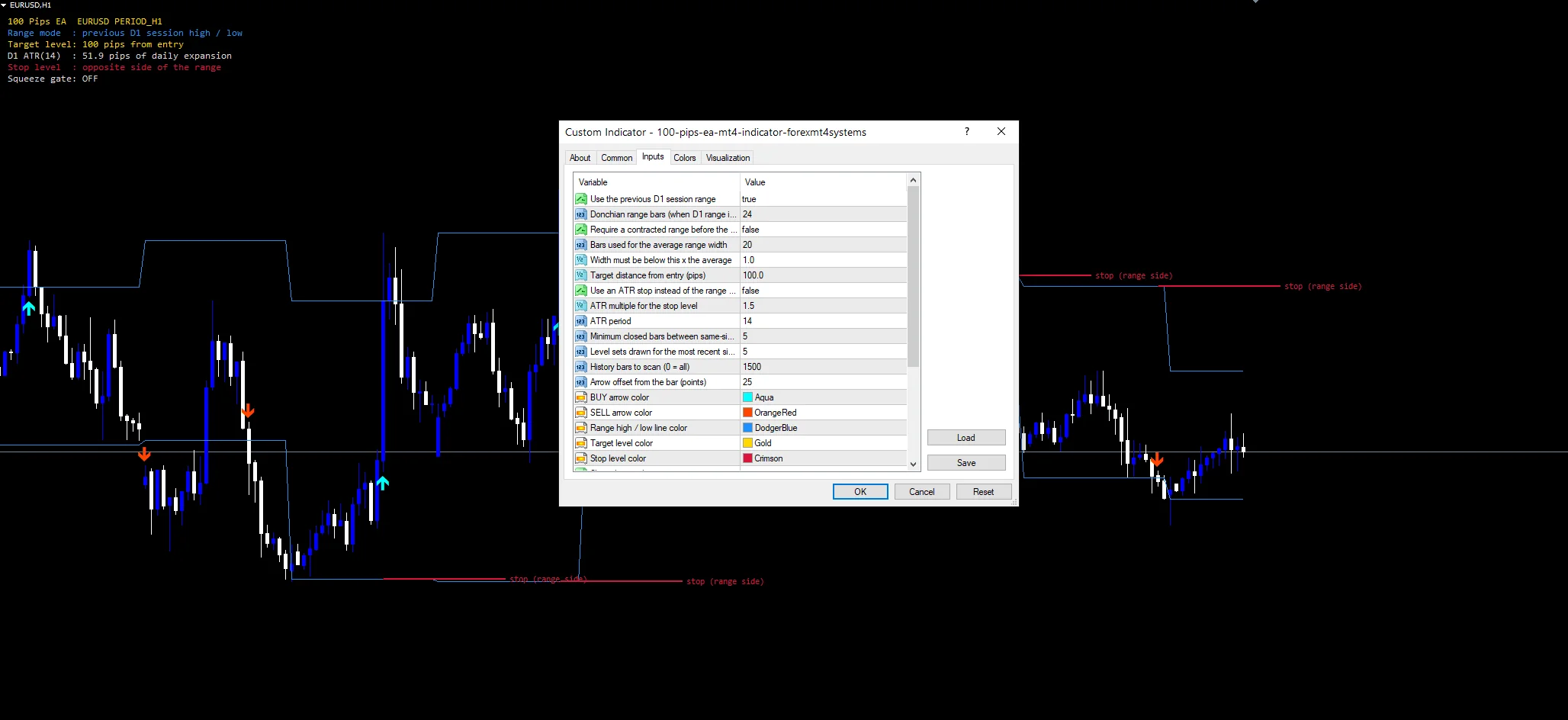
Picking a chart for it
A 500 pip stop only makes sense where price moves that far. That points at H4 and daily on the majors, or H1 on a fast instrument. EURUSD is the reference. Putting it on M15 with these defaults means a stop so wide it may never trigger and a target it may never reach. Change both distances before dropping the timeframe, and run it on a demo account first.
When the 100 Pips EA Indicator fails
Wide stops mean large losses when a trade fails. A 500 pip stop on a 0.01 lot is modest, but the same setting on a larger size is not.
The 200 EMA filter keeps the robot out of counter-trend trades and also keeps it out of the early part of every reversal.
Stops and targets are fixed pip distances rather than volatility scaled, so one setting does not fit both a calm month and a violent one.
Copy the compiled 100 Pips EA Indicator file into your MQL4/Indicators folder, and the MT5 build into MQL5/Indicators, then restart the terminal and drag it onto a chart. The step-by-step guide with screenshots is at how to install MT4 and MT5 indicators.
Download the 100 Pips EA Indicator for MT4 and MT5
The zip holds the compiled 100 Pips EA Indicator build for MT4 and MT5, plus a short README. Compiled files only, no source. Enter your email below and the download link arrives in your inbox.
Download this Expert Advisor free
Enter your email and the file is yours. You also get the full MT4 and MT5 library.
FAQ
What does the EmaPeriod filter actually stop?
Counter-trend breakouts. longSig requires closeBar above priorHigh AND above the 200 EMA. Without that second test the robot would buy every upside break, including the ones that happen during a sustained downtrend. Those are the breakouts that fail most often, so the filter removes a whole class of losing entries.
Why is StopLossPips as wide as 500?
Because the system targets large swings rather than quick moves. A tight stop would be hit by ordinary noise long before a 1000 pip target came into range. The stop is still mandatory, and it is sized to match the timeframe the EA is built for. On a faster chart, reduce both distances together.
Why does BreakoutBars measure from shift 2 rather than shift 1?
So the signal bar cannot contribute to the level it needs to clear. priorHigh describes bars that finished before Close[1]. Starting at shift 1 would include the very bar being tested, and a close above its own high is not possible, so no breakout would ever register.
What does CloseOnOppositeSignal being false mean here?
That an open position rides through a breakout the other way rather than closing on it. The trade exits at its stop, its target, or the trailing stop if you enable one. That suits a swing system chasing large moves, where a counter-signal often marks a pullback rather than a reversal.
Are results guaranteed?
No. Trading involves risk. Results are not guaranteed; past performance is not indicative of future results. Use the 100 Pips EA Indicator as one input. Always backtest before trading live.

About the author
Written by Dominic Walsh, a Forex trader and MT4/MT5 indicator, Expert Advisor and script developer. Every tool on forexmt4systems.com is tested on live charts before release and ships with ready-to-use compiled MT4 (.ex4) and MT5 (.ex5) files. Learn more about the trader and developer behind this site.
How we build, test and correct every tool: Editorial & Testing Policy. Trading carries risk; see the disclaimer.