
The bid ask spread indicator watches what a trade costs you. Each bar gets its spread plotted as a column in points. A column past `InpSpreadLimit` `25.0` turns red, so a widening spread is impossible to miss.
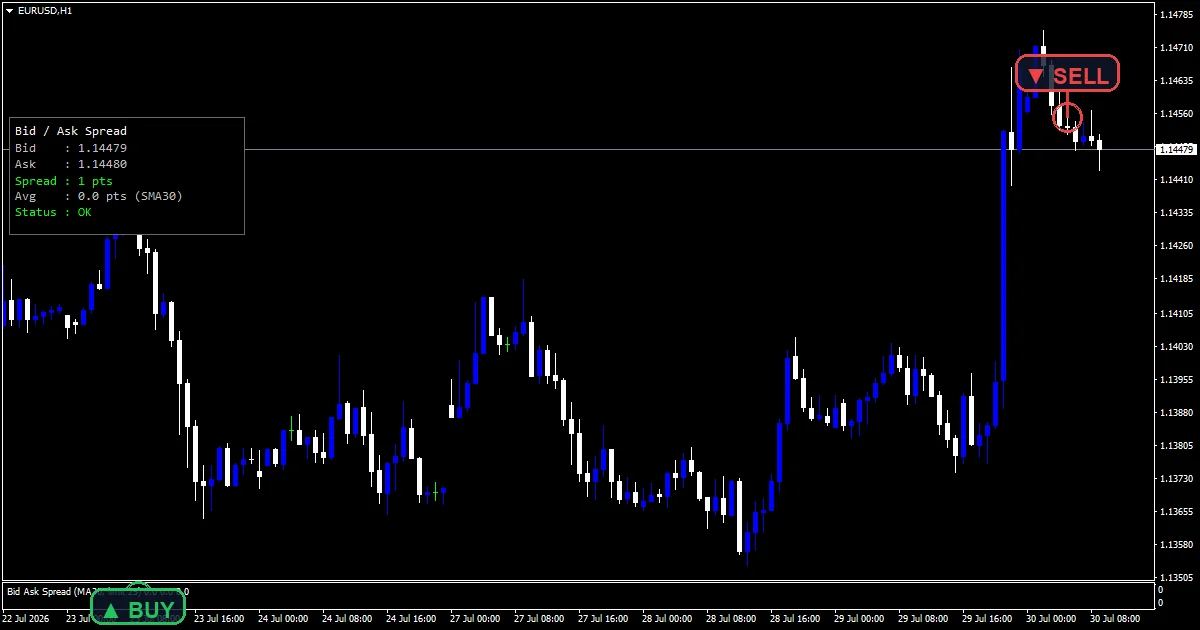
This build ships as a compiled .ex4 for MT4 and .ex5 for MT5; the screenshots below come from EURUSD H1.
| Platforms | MT4 (.ex4) + MT5 (.ex5) |
|---|---|
| Chart window | Separate window |
| Plots | 3: Spread, Wide Spread, Spread MA |
| Alerts | popup, push notification, email, sound |
| Inputs | 11 |
What you see once it loads
A dodger blue `Spread` column shows the spread for each bar.
Past the limit a red `Wide Spread` column takes over.
A gold `Spread MA` line gives the typical cost across `InpMaPeriod` `30` bars.
The corner panel prints live bid, ask, spread and the running average.
- Spread: histogram, dodger blue, width 2
- Wide Spread: histogram, red, width 2
- Spread MA: line, gold, width 1
What happens on each bar
History comes from the terminal
MetaTrader stores a spread figure with every bar. The code reads that series straight out, so the columns behind the current candle are what your broker actually charged at the time.
The live figure is measured directly
For the bar still forming, the code subtracts bid from ask and divides by the point size. That gives the same units as the history, so the panel and the columns agree.
One threshold splits the colour
`InpSpreadLimit` `25.0` decides which of the two column buffers receives the value. Both hold the same number. Only the colour differs, so the columns can never disagree at the switch.
What you act on
Column height is the cost of opening a trade on that bar.
The gold line is your normal cost, so compare against it rather than against zero.
Red clusters usually mark news, rollover or thin liquidity.
`ShowPanel` hides the readout when the chart gets crowded.
Alert channels in this build: popup, push notification, email and sound, one message per closed bar.
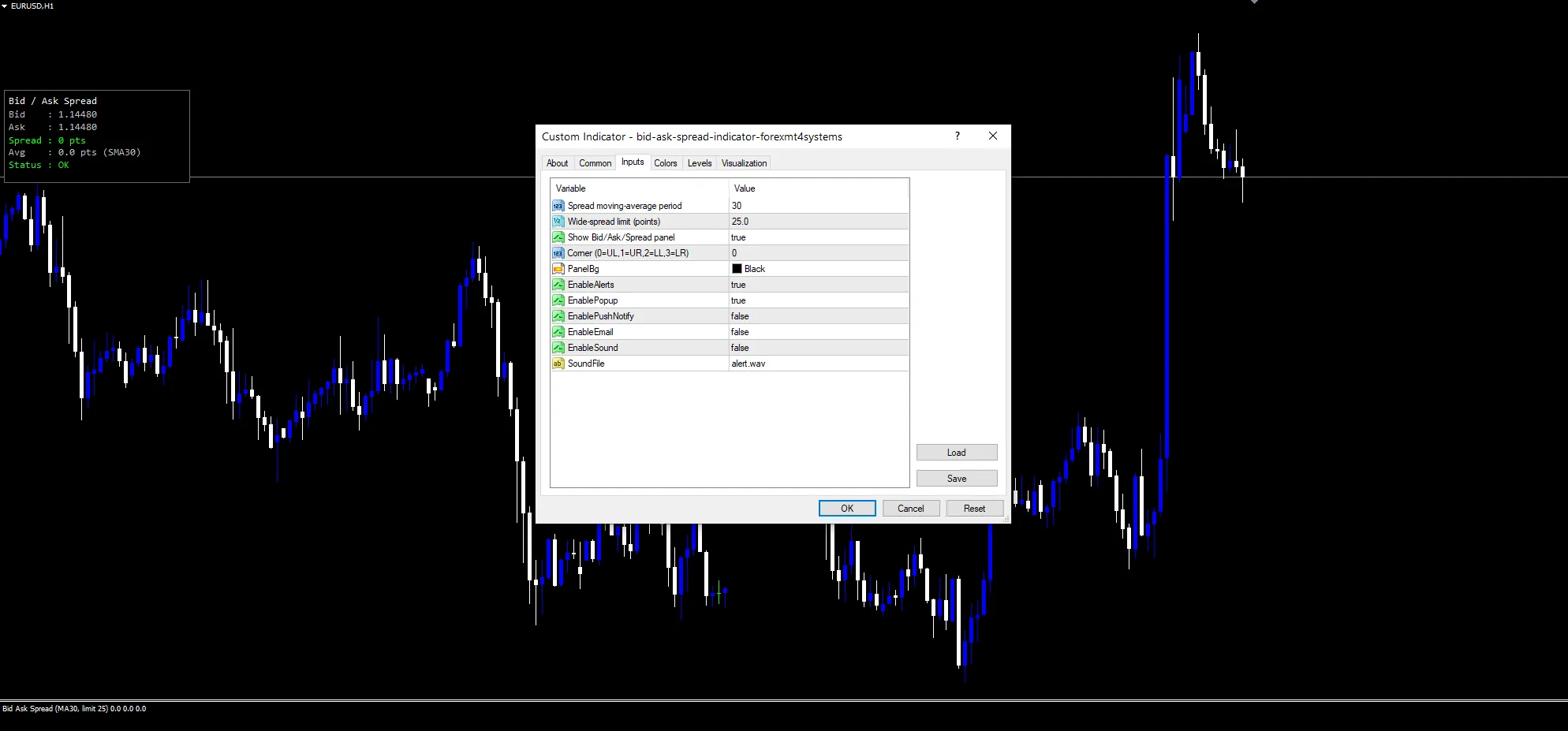
`EnableAlerts` controls the whole set and arrives true, with `EnablePopup` giving the terminal box. `EnablePushNotify` reaches a phone, `EnableEmail` sends mail and `EnableSound` plays `SoundFile`. Those three start off. The check fires at most once per bar.
Every Bid Ask Spread Indicator input
Core settings
| Setting | What it does | Default |
|---|---|---|
InpMaPeriod |
Spread moving-average period. Bars behind the typical-cost line, default `30`. | 30 |
InpSpreadLimit |
Wide-spread limit (points). Points above which a column turns red, default `25.0`. | 25.0 |
Display settings
| Setting | What it does | Default |
|---|---|---|
ShowPanel |
Show Bid/Ask/Spread panel. Print the live bid, ask and spread readout, default `true`. | on |
PanelCorner |
Corner (0=UL,1=UR,2=LL,3=LR). Which corner the readout anchors to, default `0`. | 0 |
PanelBg |
Readout background colour, default `clrBlack`. | black |
Alert settings
| Setting | What it does | Default |
|---|---|---|
EnableAlerts |
Master control over every alert route, default `true`. | on |
EnablePopup |
Terminal box when the spread goes wide, default `true`. | on |
EnablePushNotify |
Phone alert when the spread goes wide, default `false`. | off |
EnableEmail |
Mail when the spread goes wide, default `false`. | off |
EnableSound |
Clip when the spread goes wide, default `false`. | off |
SoundFile |
(see inputs panel) | alert.wav |
Which markets and timeframes suit it
Spread matters most where it is large against your target. EURUSD H1 is the reference chart, and majors sit at the tight end. Exotics and indices run far wider. On M1 the same cost eats a much bigger share of the move.
What to be wary of
Spread is broker specific, so a limit tuned on one account misleads on another.
The stored history is one figure per bar, not the worst spread inside it.
`InpSpreadLimit` `25.0` counts points, so it needs changing per instrument.
Copy the compiled Bid Ask Spread Indicator file into your MQL4/Indicators folder, and the MT5 build into MQL5/Indicators, then restart the terminal and drag it onto a chart. The step-by-step guide with screenshots is at how to install MT4 and MT5 indicators.
Download the Bid Ask Spread Indicator for MT4 and MT5
The zip holds the compiled Bid Ask Spread Indicator build for MT4 and MT5, plus a short README. Compiled files only, no source. Enter your email below and the download link arrives in your inbox.
Download this indicator free
Enter your email and the file is yours. You also get the full MT4 and MT5 library.
FAQ
What does InpSpreadLimit 25.0 count?
Points, not pips. On a five-digit currency pair twenty-five points is two and a half pips. Set it a little above your normal spread so the red columns mark genuinely unusual conditions rather than every busy hour.
Why does the Spread MA line matter?
Because a raw number means nothing on its own. Thirty bars of average cost tells you what normal looks like on this instrument and this session. A column well above that line is the one worth reacting to.
Where does the historical Spread column come from?
The terminal keeps a spread value alongside every bar it stores, and the code reads that series. So the history is your broker’s own record rather than a reconstruction, which is why it can differ between accounts.
Does ShowPanel affect the columns?
No. It only hides the corner readout with the live bid, ask and average. The pane keeps plotting either way. Turn it off when you already have other panels competing for the same corner.
Are results guaranteed?
No. Trading involves risk. Results are not guaranteed; past performance is not indicative of future results. Use the Bid Ask Spread Indicator as one input. Always backtest before trading live.
External references
- For background on this concept, see Gross spread on Wikipedia.
- For broader market context, see Support at Investopedia.

About the author
Written by Dominic Walsh, a Forex trader and MT4/MT5 indicator, Expert Advisor and script developer. Every tool on forexmt4systems.com is tested on live charts before release and ships with ready-to-use compiled MT4 (.ex4) and MT5 (.ex5) files. Learn more about the trader and developer behind this site.
How we build, test and correct every tool: Editorial & Testing Policy. Trading carries risk; see the disclaimer.