
MACD scalping settings trade signal count for speed. The default 12-26-9 was designed for daily charts, so on an M1 or M5 chart it reacts late and gives back much of a short move before it turns. This guide covers the faster input sets scalpers actually use, which timeframes suit each one, and the filters that stop the extra sensitivity from burying you in false crosses.
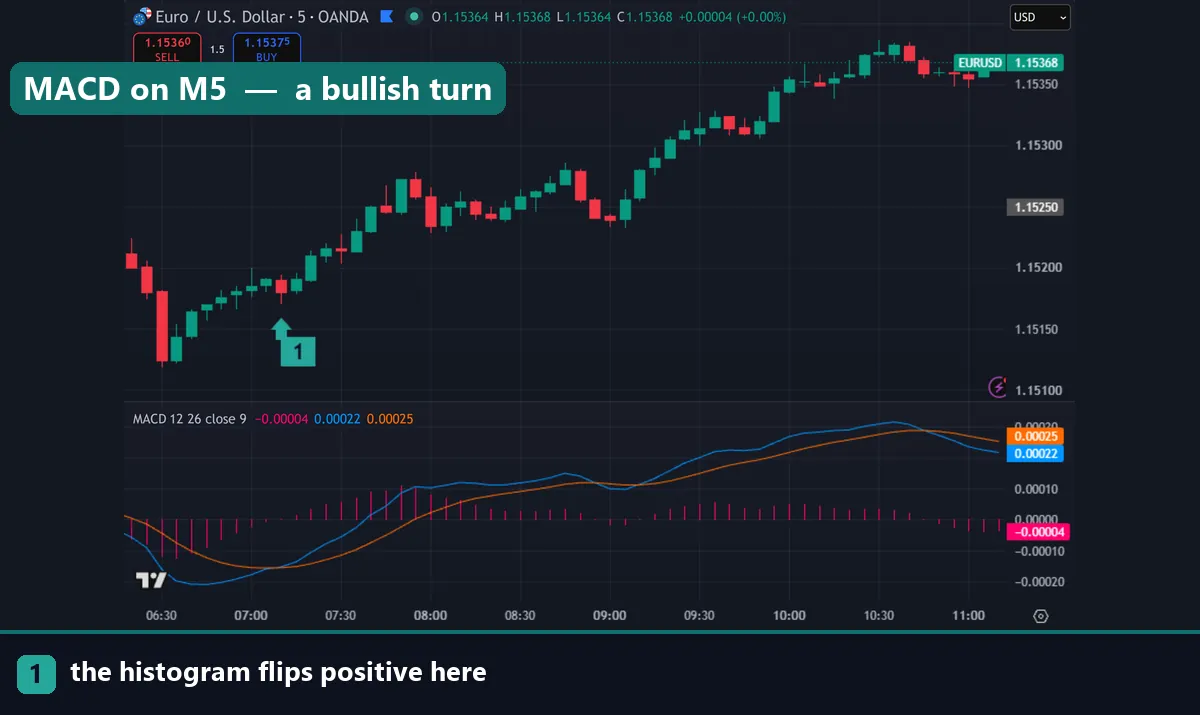
What the three MACD numbers control
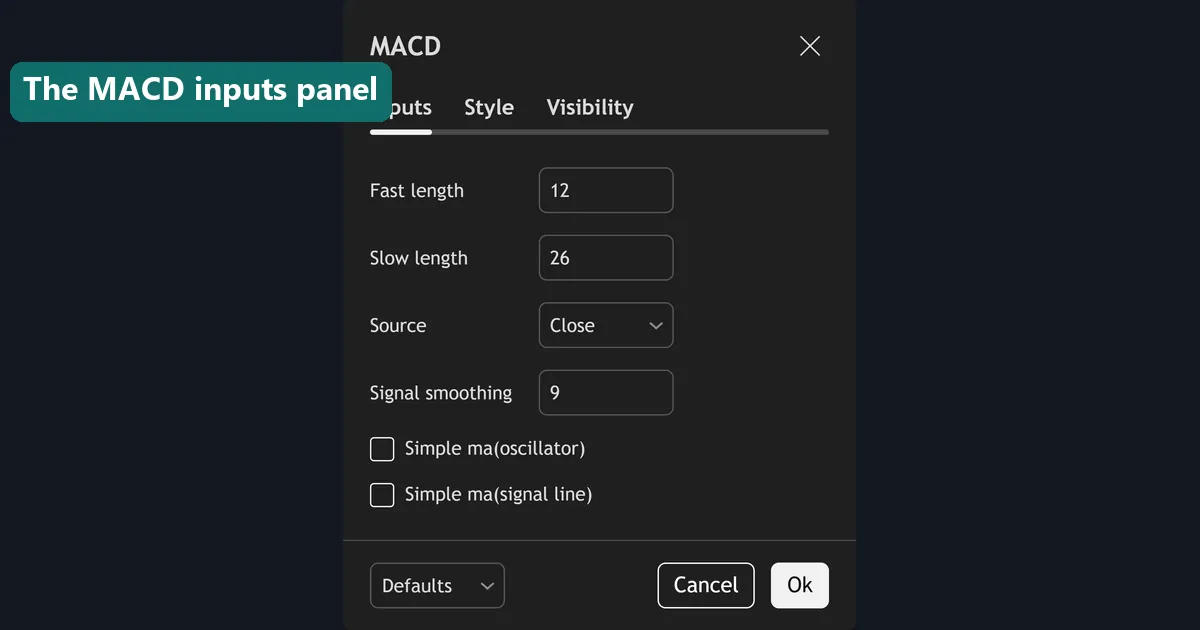
MACD has exactly three inputs, and each one does a distinct job. The fast length sets the shorter exponential moving average. The slow length sets the longer one. The MACD line is the gap between them. The signal length smooths that line, and the histogram plots the difference between the two.
Shrink all three and the indicator tracks price more closely. Crosses arrive sooner, the histogram flips more often, and the tool becomes usable inside a short move. The cost is noise, because much of that extra movement is meaningless on a one-minute chart.
The default 12-26-9 comes from Gerald Appel’s work on daily equity charts in the 1970s. Nothing about those numbers is special for a five-minute forex chart. Our guide to the best MACD settings covers the defaults in full.
Faster MACD scalping settings
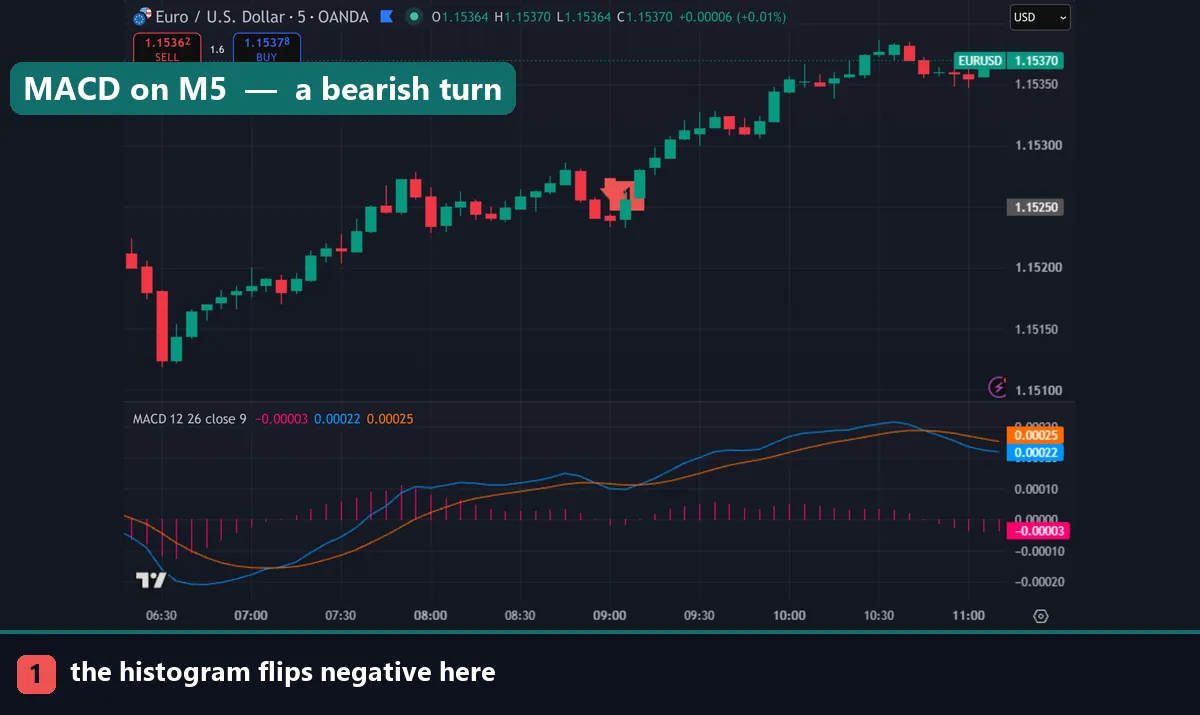
Three configurations show up repeatedly among short-term traders.
| Inputs | Character | Suits | Watch out for |
|---|---|---|---|
| 12-26-9 | The default, slowest | M15 and above | Late on M1 and M5 |
| 6-13-5 | Roughly half the default | M5 scalping | A sensible first step down |
| 5-13-1 | Signal barely smoothed | M5 and M1 | Histogram flips constantly |
| 3-10-16 | Fast lines, heavy smoothing | M1 and M5 momentum | Reads best as a histogram |
The 6-13-5 set is simply the default halved, and it is the safest change to make first. Everything behaves the way you already expect, only sooner.
The 5-13-1 set removes almost all smoothing from the signal line, so the MACD line and signal track each other tightly. Crosses come thick and fast. Some traders like it precisely because it flags momentum shifts early; most find it unusable without a strong filter.
The 3-10-16 set is the odd one out. Its lines are very fast while its signal is heavily smoothed, which makes the histogram the useful output rather than the crosses. Read it as a momentum meter, not a cross generator.
Match the settings to the timeframe
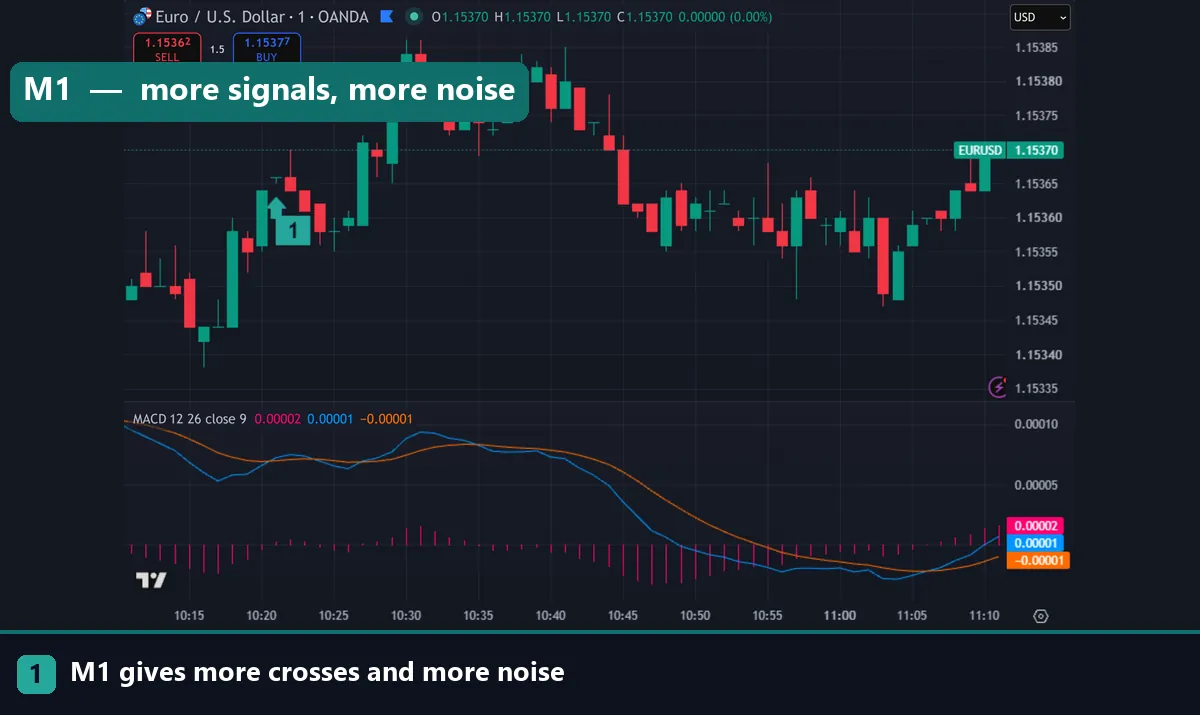
The chart timeframe matters as much as the inputs. A 12-26-9 MACD on M1 is effectively looking at the last 26 minutes, which is a reasonable window. The problem is not the lookback; it is that the signal line lags by another nine bars, and nine minutes is a long time in a scalp.
On M5 the same settings cover just over two hours. That suits a trader holding for twenty minutes far better, which is why many scalpers keep the defaults on M5 and only speed things up on M1.
Dropping to M1 multiplies the signal count several times over. Most of the extra signals are noise. If you scalp M1, treat MACD as a momentum filter rather than an entry trigger, and take the actual entry from price.
The filter that makes fast settings usable
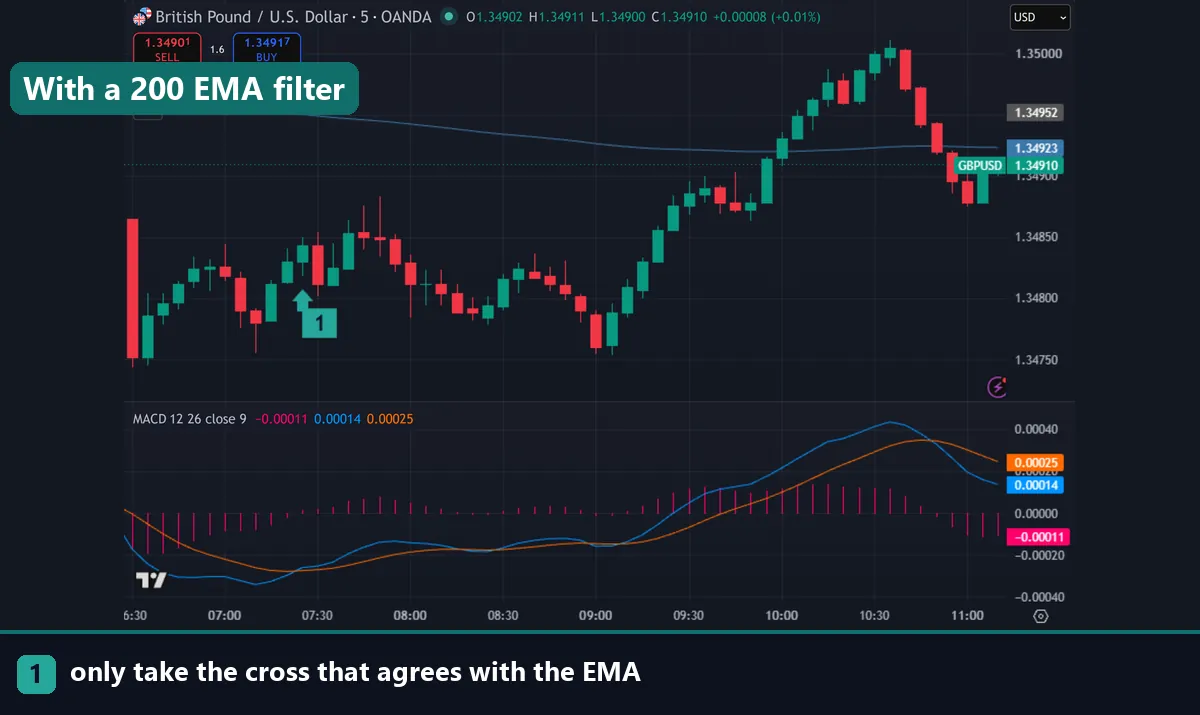
Faster inputs without a filter produce a losing system almost every time. The fix is a directional filter on the same chart or a higher one.
The common choice is a long exponential moving average, typically the 200 EMA on your trading timeframe. Take bullish crosses only while price sits above it, and bearish crosses only while price sits below. That one rule removes a large share of the counter-trend signals that fast settings generate.
A second option is a higher timeframe bias. Set direction on M15 or H1, then take M1 or M5 crosses in that direction only. Our EMA trading strategies cover both approaches, and the bullish divergence guide shows a different way to read the same indicator.
Whichever you pick, apply it mechanically. A filter you override when a signal looks tempting is not a filter.
Download the complete indicator database
Put these concepts on your charts. One email unlocks the full library of 1,380+ indicators with compiled MT4 and MT5 files, plus my TradingView scripts. No paywall, no spam, unsubscribe any time.
Get free access to my indicator database
One email unlocks 1,380+ free MT4, MT5 and TradingView indicators — the complete library. No single-tool download; you get the whole database.
Spread is the real constraint
This is the part that decides whether scalping MACD works at all, and it has nothing to do with the indicator. A 1.6-pip spread on EURUSD is trivial on a 200-pip swing trade. On a 6-pip scalp it consumes more than a quarter of the target before price moves.
Run the arithmetic before you optimise anything. If your average winner is 8 pips and your spread plus commission costs 2, you need a strike rate well above half just to break even. Faster MACD settings do not change that maths; they only change how often you pay it.
Two practical consequences follow. Trade only during liquid hours, when spreads sit at their tightest, which usually means the London and New York overlap. And avoid scheduled news, since spreads widen sharply and a fast MACD will hand you a signal in the middle of it.
How to test a setting rather than guess
Pick one input set and leave it alone for at least fifty trades. Log the timeframe, the filter, the spread you paid and the result in pips. Changing inputs after a losing run tells you nothing, because you never gathered enough data on the previous set.
Test on the pair you actually trade too. EURUSD, GBPJPY and XAUUSD have very different noise profiles, so settings that behave well on one can misfire on another. Run the comparison on a demo account first, then repeat it live, since backtests rarely model the spread you will really pay.
Common mistakes with fast MACD settings
Four stand out. Speeding up the inputs without adding a filter tops the list, and it simply multiplies the false signals. Taking every histogram flip comes second, since on 5-13-1 that can mean several per hour. Third, traders scalp during news or thin sessions where the spread destroys the edge. Fourth, they change settings every few trades, which guarantees they never learn what any set actually does.
Where to go next
Settings are one part of a scalping method. Compare timeframes with our guide to tick scalping, and see how slower inputs work in the opposite direction in the best MACD setting for swing trading. For tools that pair well with a fast oscillator, read our roundup of the best day trading technical indicators. To add a custom MACD variant to your platform, follow how to install MT4 and MT5 indicators. For further reading, Investopedia explains MACD at Investopedia. BabyPips gives a shorter definition of MACD in the BabyPips forexpedia.
FAQ
What are the best MACD scalping settings?
6-13-5 is the safest step down from the default and suits M5. Traders wanting more speed use 5-13-1 or read the histogram on 3-10-16. All of them need a directional filter to be workable.
Can I scalp with the default 12-26-9?
Yes, particularly on M5, where it covers just over two hours. On M1 the nine-bar signal line lags too much for a short hold, so most traders either speed it up or use MACD only as a filter there.
Which timeframe suits MACD scalping?
M5 is the practical sweet spot, giving enough movement per bar without the noise of M1. If you trade M1, take direction from MACD and the entry from price action instead of the cross itself.
Why do fast MACD settings give so many false signals?
Shorter averages track price more closely, so ordinary noise is enough to flip them. The indicator is doing its job; the timeframe simply contains more meaningless movement. A trend filter removes most of the resulting signals.
Should I use the cross or the histogram?
The histogram turns earlier because it measures the gap between the lines. Many scalpers watch it for momentum and use the cross as confirmation, which suits fast settings where crosses arrive constantly.
Will faster MACD settings improve my results?
They change the timing, not the edge, and spread costs often decide the outcome on short holds. Test one set over a meaningful sample. Trading involves risk, results are not guaranteed, and past performance is not indicative of future results.

About the author
Written by Dominic Walsh, a Forex trader and MT4/MT5 indicator, Expert Advisor and script developer. Every tool on forexmt4systems.com is tested on live charts before release and ships with ready-to-use compiled MT4 (.ex4) and MT5 (.ex5) files. Learn more about the trader and developer behind this site.
How we build, test and correct every tool: Editorial & Testing Policy. Trading carries risk; see the disclaimer.